
Brother TZe vs M Tape: Verify Your Label Maker First
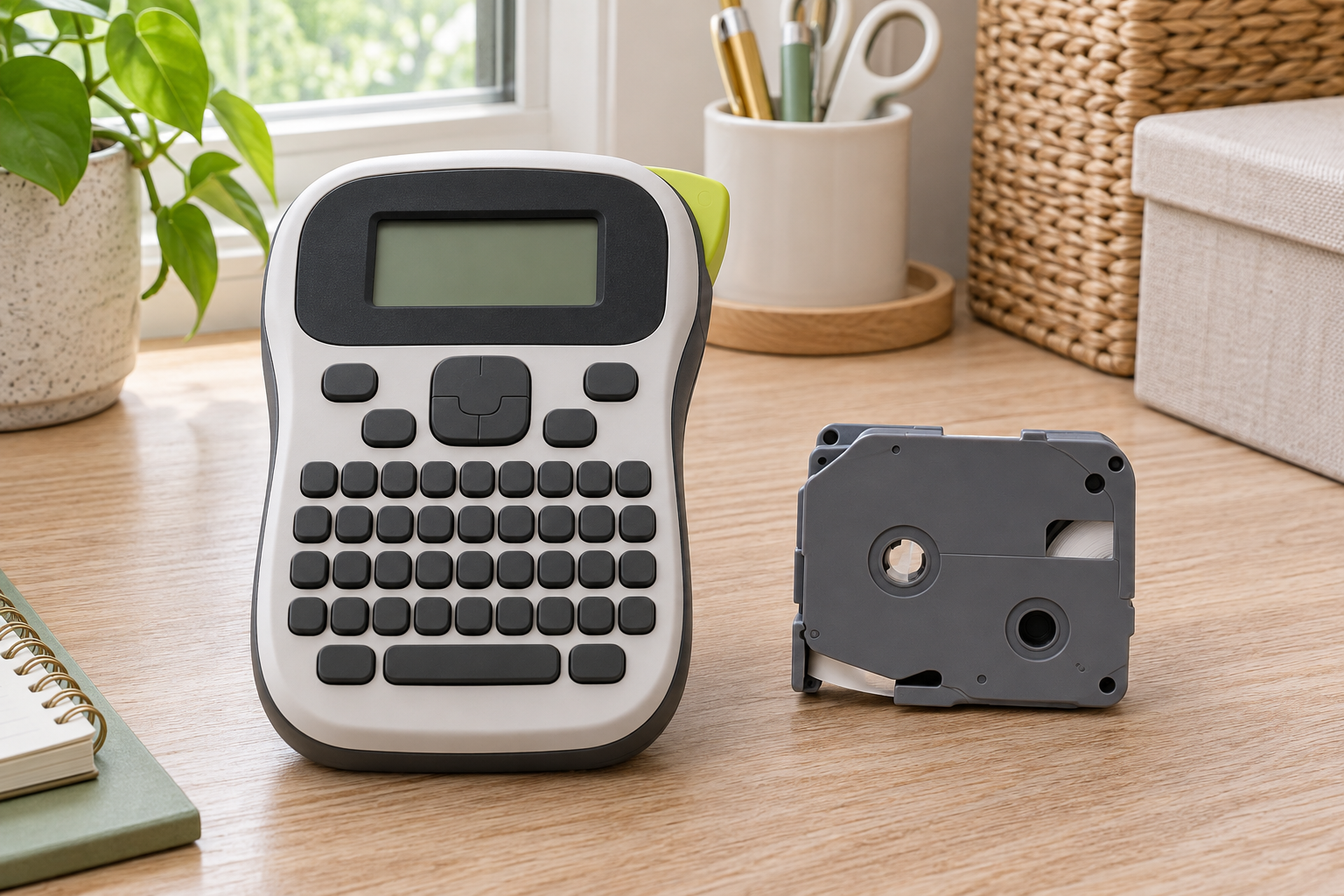
Brother TZe vs M tape is not a quality contest or a width-only choice. Buy the tape family your exact P-touch model specifies. Brother’s PT-80 U.S. manual says to use only M tapes, while the PT-D210 U.S. guide says to use only TZe tapes. A cassette can be a similar width and still be the wrong family for the machine.
Start with the model number printed on the label maker, not the tape you already own. Then read the current manual, Brother’s supplies finder, or a support page for that model. This matters in a small home because a rejected cassette is clutter, while an assumed fit can lead to forcing a lid or cassette compartment that was never designed for it.
Read the tape-family instruction before comparing colors or widths
Brother’s PT-80 manual is specific: use only Brother M tapes. It lists M-tape widths of 0.35 inch (9 mm) and 0.47 inch (12 mm). The PT-D210 guide is equally specific in the other direction: use only Brother TZe tapes, at 0.13, 0.23, 0.35, or 0.47 inch, which correspond to 3.5, 6, 9, and 12 mm. Those are concrete examples, not a claim that every M or TZe machine follows the same range.
That means a 12 mm cassette is not automatically acceptable just because a machine accepts 12 mm tape. Tape-family authorization comes first; width is checked second. Do not treat the casing appearance, a product photo, or a friend’s older machine as proof.
| Machine example | Manual’s required family | Widths stated in that manual | Purchase rule |
|---|---|---|---|
| Brother PT-80 | Only Brother M tapes | 0.35 in / 9 mm and 0.47 in / 12 mm | Do not substitute TZe based on matching width |
| Brother PT-D210 | Only Brother TZe tapes | 0.13, 0.23, 0.35, 0.47 in / 3.5, 6, 9, 12 mm | Choose a TZe width that the guide lists |
| Older TZe/TZ-compatible models | Check the model-specific Brother support list | Varies by model | TZe may replace TZ only where Brother says it can |
| Any other P-touch model | Do not infer from family name | Check the exact manual or supplies finder | Confirm before opening a cassette |
Use the label-maker model as the tie-breaker
Look for the model number on the body, inside the cassette cover, or in the manual cover. Enter it in Brother’s supplies finder or open the support page for that exact model. Brother’s U.S. support FAQ for a listed older P-touch family confirms that TZe tape can be used with the compatible models it names, but the related-model list is not a universal P-touch rule.
If you only know a broad series name, pause the purchase. Confirm the full suffix, such as a desktop versus handheld variation, because supplies can change across generations. If the product is discontinued, use the archived official manual and support record, then match the tape family stated there. Retail listings can help locate a part number but should not override Brother’s machine instructions.
Check cassette family, width, and label job in that order
Once the family is confirmed, choose the width the machine permits. Then choose the label material and color for the actual task. A narrow tape may be appropriate for a small cord tag or file tab, while a wider permitted cassette can make a pantry or storage-bin label easier to read. The machine manual is still the limit on width.
Do not make the label maker decide the organization system. First define the category, ownership boundary, or return action, then choose a tape that the machine approves. Home organization labels for shared small-apartment spaces explains how short labels can show what belongs in a zone and what happens next. That prevents buying several cassettes before the wording has been tested.
Install only the cassette the manual allows
Turn off the machine and follow its cassette-installation steps. For the PT-D210 example, Brother directs users to insert a cassette so it snaps into place, make sure the tape end feeds under the tape guides, and close the cassette cover securely. If the cassette will not sit flat or the cover does not close without pressure, remove it. Do not bend the cassette, trim the housing, force the cover, or attempt to transfer tape into another cartridge.
Brother’s manuals also matter after installation. Feed and cut only as directed for the exact model. Do not put fingers near the cutter or tape exit while operating. If a label jams or the tape does not advance, use the manual’s troubleshooting path or Brother support rather than dismantling the cutter assembly.
Store open cassettes as supplies, not loose parts
Keep opened cassettes in a small labeled box or drawer with the compatible machine model written on a removable card. This is especially useful if a household has more than one label maker. Keep unopened stock with its product number visible and separate M from TZe rather than relying on memory. A plain divider marked with the model can prevent a later mix-up without covering a cassette’s identifying information.
For moving-day labeling, confirm the tape family before printing a batch, then keep the accepted cassette with the label maker. The moving box labels guide can help build a simple room-and-priority system after the hardware question is settled.
Make a one-minute pre-purchase record
Before ordering, write down the full machine model, tape family stated in the manual, allowed widths, and the cassette number you plan to buy. Photograph the open cassette compartment only if it helps identify the machine later; do not use a photograph as a substitute for the manual. Keep that note with the label supplies. It is particularly helpful in shared homes, where a second person may restock tape months later.
If Brother lists more than one compatible cassette finish or color for your model, choose after the family and width checks are complete. A color preference does not change compatibility. If the manual and a current store listing disagree, stop and use Brother support or the machine documentation as the decision source.
Common compatibility mistakes
- Matching width but not family: Width never overrules the manual’s “only M” or “only TZe” instruction.
- Assuming all P-touch machines use TZe: Brother’s PT-80 is a direct M-tape exception.
- Assuming M tape is a legacy name for TZe: Treat them as separate families unless Brother’s exact documentation says otherwise.
- Buying a multi-pack before model verification: Start with one confirmed cassette if the model record is unclear.
- Forcing a cassette cover: Stop and remove the cassette; a physical near-fit is not manufacturer approval.
FAQ
Can I use TZe tape in a Brother M-tape label maker?
Not unless the exact machine documentation says so. The cited PT-80 manual says to use only Brother M tapes.
Can I use M tape in a Brother TZe label maker?
Do not assume that. The cited PT-D210 guide says to use only Brother TZe tapes. Check your model’s manual.
Does the same tape width mean the cassette will fit?
No. Confirm the tape family first, then the width range for the exact model. Matching 9 mm or 12 mm dimensions alone do not establish approval.
Is TZe the same as older TZ tape?
Brother’s support FAQ says TZe can be used with the compatible listed models. Check the exact model’s support page, because compatibility is model-specific.
Sources and fact-checking
Checked against current official Brother U.S. materials on November 28, 2026. This is research-based guidance, not hands-on compatibility testing.


댓글 0
첫 댓글을 남겨보세요.