
Monitor Arm Desk Thickness: Clamp and Grommet Fit
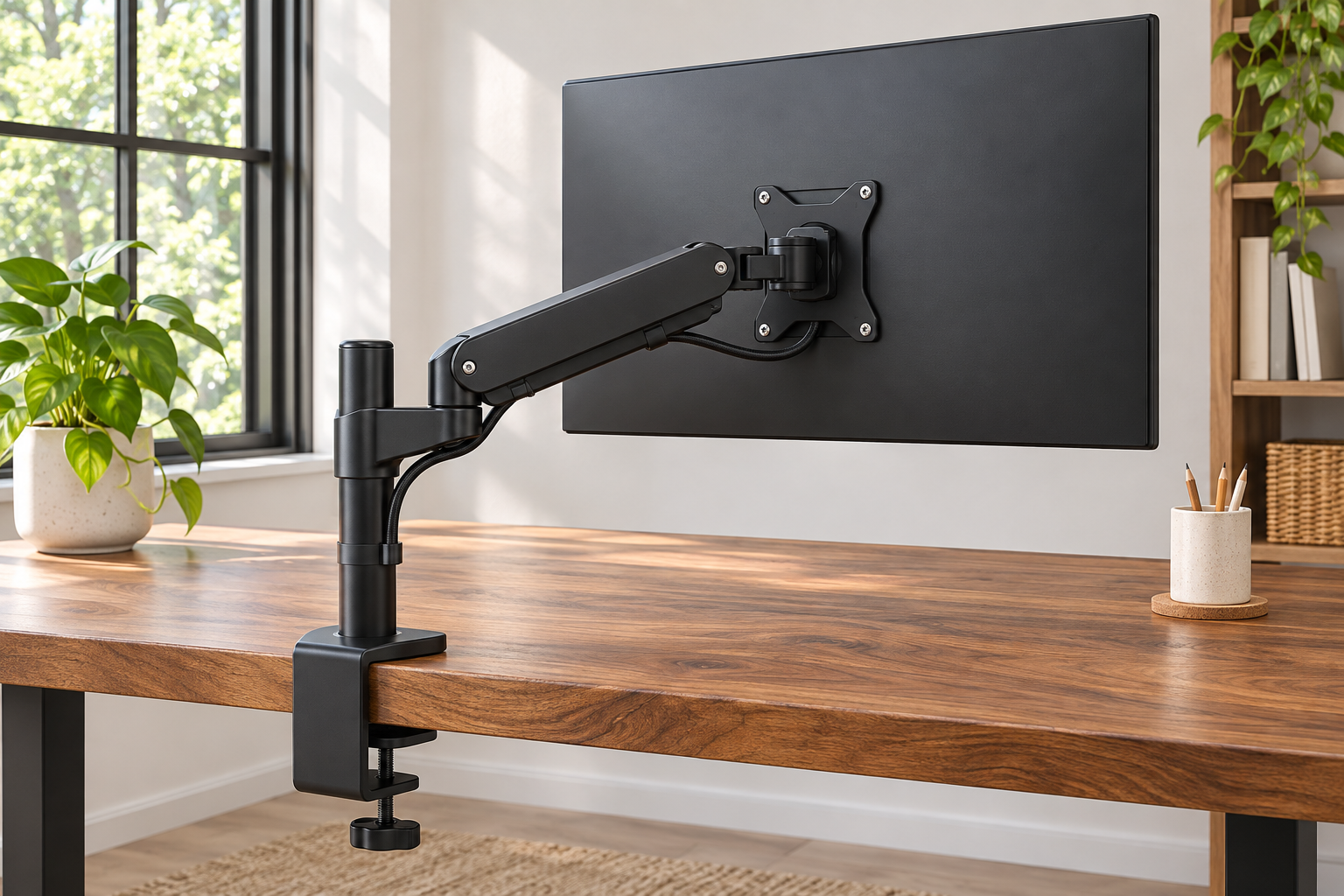
Monitor arm desk thickness is only one part of a mount decision. Measure the desktop where the base will attach, identify its material and edge construction, find any obstructions below it, and compare the exact arm’s clamp or grommet specifications. Then verify the monitor’s actual weight without its factory stand and its VESA hole pattern. Ergotron’s LX Desk Monitor Arm specification sheet is a concrete example: the low-profile top-mount C-clamp versions, part numbers 45-626-216 and 45-626-224, are compatible with 0.98 to 1.38 inch worksurfaces, while the product family has distinct clamp and grommet configurations.
Do not use another arm’s thickness range as a universal rule. A desk can be the right thickness yet be unsuitable because its edge is hollow, damaged, glass, a loose veneer, a thin shelf, or blocked by an under-desk drawer or cable tray. A monitor can be the right screen size yet exceed the arm’s weight range or lack the VESA pattern needed for attachment.
Monitor arm desk thickness: identify the mount first
A clamp attaches at a desk edge; a grommet mount attaches through a surface hole. They are not interchangeable plans. The LX sheet lists a standard two-piece desk clamp and grommet mount with some models, and separately lists a low-profile top-mount C-clamp configuration. Find the exact part number and included hardware before you measure. A product family page can describe several bases that have different fit requirements.
For a clamp, measure the desktop thickness at the proposed edge and inspect the underside where the clamp pad or screw will land. For a grommet mount, measure the existing hole and surface thickness only after confirming the arm’s permitted hole dimensions and hardware. Do not drill a rental desk, worktop, or built-in surface without owner approval and without the exact manufacturer installation instructions.
| Compatibility check | Ergotron LX example | What still needs verification |
|---|---|---|
| Low-profile clamp thickness | 0.98–1.38 inches for the cited low-profile top-mount C-clamp | Exact model, desk edge, underside clearance, and material |
| Monitor weight | LX Desk Monitor Arm: 7–25 pounds | Monitor weight without stand and any accessories |
| VESA pattern | VESA FDMI MIS-D, 100/75, C; 100 x 100 or 75 x 75 mm | Monitor’s rear mounting pattern and required screws |
| Screen size | Typical LCD size up to 34 inches | Weight is the controlling limit; size is approximate |
Measure a clamp location, not an average desktop
Measure at the exact point where the clamp will sit. A desktop may be thicker at a trim, thinner at a cable pass-through, or reinforced only in one section. Check the edge for a beveled profile, a lip, a raised rear rail, or a modesty panel that prevents flat contact. Open drawers and look underneath for crossbars, keyboard trays, wire baskets, or standing-desk mechanisms. The clamp needs the surface and clearance that its exact instructions require.
The cited low-profile clamp range applies to part numbers 45-626-216 and 45-626-224: 0.98–1.38 inch worksurfaces. It does not say that any desk in that range is structurally adequate, that all LX clamps share that range, or that a desk just outside it is safe with improvised shims. Ergotron says clamp kits are available for thinner worksurfaces on the cited sheet; use only the manufacturer-approved kit for the exact arm rather than stacking wood, cardboard, or pads under a clamp.
Inspect desktop material and condition
Thickness alone cannot tell you what is inside the desktop. A solid wood top, a laminate-covered particleboard top, a hollow-core desk, a glass surface, and a damaged desk edge react differently to concentrated clamp force. Review both the desk manufacturer’s guidance and the monitor-arm instructions. If the desk manual prohibits clamping, has a load warning, or does not identify the construction, do not assume the arm is approved.
Look for swelling, cracks, loose laminate, a bowed edge, or a surface that flexes before you add a monitor. Do not hide a weak area with a larger-looking clamp plate and call it reinforced. A reinforcement accessory may be offered for a particular system, but it has its own compatibility instructions and does not override a desk maker’s limits. In a rental, get written permission before modifying furniture or drilling for a grommet mount.
Calculate the monitor load from the specification sheet
The 2024 Ergotron LX Desk Monitor Arm sheet lists a 7–25 pound weight capacity and says that screen size is an approximation: a screen may exceed 34 inches as long as it does not exceed the mount’s maximum weight. Use the monitor maker’s specification for weight without the factory stand, and add only accessories the arm manufacturer says are supported. Do not use shipping weight, a TV’s diagonal size, or a guessed weight from a retailer listing.
A monitor below the maximum can still be below the minimum, which can affect how a spring arm behaves. The cited range begins at 7 pounds. Keep the exact arm model, pivot, laptop tray, camera, light, and any second display within the approved configuration. A dual-arm product has different combined and per-arm considerations; do not transfer a single-arm range to it.
Confirm VESA before you remove the stand
The cited LX sheet specifies VESA FDMI MIS-D, 100/75, C, meaning 100 by 100 mm and 75 by 75 mm hole patterns. Inspect the back of the monitor and its manual before buying. Some displays need an adapter, special screws, spacers, or have recessed holes. Use only hardware the monitor and arm manufacturer permit. Do not force a screw into a hole of uncertain depth or treat a decorative rear pattern as a VESA mount.
Keep the stand until you have verified the arm, monitor, hardware, desk, and route for cables. This makes it easier to return the monitor to a stable configuration if something does not fit. After installation, route cables with enough slack for the arm’s approved movement but not so much that they catch drawers, pinch at a hinge, or pull the display.
Check rentals, shared desks, and return-to-original condition
Clamp mounting can avoid drilling, but it is not automatically renter-approved. A lease, furnished-apartment agreement, office policy, or furniture warranty may prohibit clamps, pressure marks, holes, or modifications. Ask the owner or manager about the specific desk and keep the answer in writing. If approval is limited to no-drill methods, confirm that the selected clamp and desktop material are still allowed.
Plan how the desk will look when the arm comes off. Remove and reinstall only as the manufacturer directs; do not promise that a clamp will leave no mark. For a renter-focused decision process, read our folding desk fit guide when comparing alternate work surfaces. It does not certify any folding top for clamping.
Know when not to mount
Stop if the desk material is unknown or damaged, the edge cannot accept the specified clamp, the underside is blocked, the monitor falls outside the arm’s weight or VESA requirements, or the owner does not approve the installation. A freestanding monitor stand, the original monitor stand, or a different workspace may be the better choice. Do not lean an arm against a wall, use it on a glass top without explicit manufacturer approval, or make a grommet hole because the clamp does not fit.
Before committing to the arm’s reach, clear a zone under the desk and consider how the monitor position changes legroom and cable access. The under-desk storage measurement guide can help with that next step; it is not an arm installation guide.
FAQ
How thick should a desk be for a monitor arm?
Use the exact arm’s clamp specification. The cited Ergotron LX low-profile top-mount C-clamp lists 0.98–1.38 inches, but other bases and arms can differ.
Can I clamp a monitor arm to a particleboard desk?
Only if both the desk maker and arm maker permit the exact location and configuration. Thickness does not prove that particleboard, laminate, hollow-core, or damaged furniture is suitable.
Does a 34-inch monitor fit the Ergotron LX?
The cited sheet lists a typical LCD size up to 34 inches and a 7–25 pound range. Check the monitor’s stand-free weight and VESA pattern; Ergotron says size is approximate and weight must remain within capacity.
Do I need landlord approval for a clamp mount?
Possibly. A clamp can still be restricted by a lease, furnished-unit agreement, office policy, or furniture warranty. Ask about the specific desk before installing.
Sources and fact-checking
Checked against the official U.S. Ergotron LX specification below on November 27, 2026. The ranges discussed are for the named configurations, not every monitor arm.





댓글 0
첫 댓글을 남겨보세요.