Under Desk Storage: Measure Legroom Before You Buy
Under desk storage works only when it organizes supplies without stealing the legroom, chair travel, and cable access you need to work comfortably.
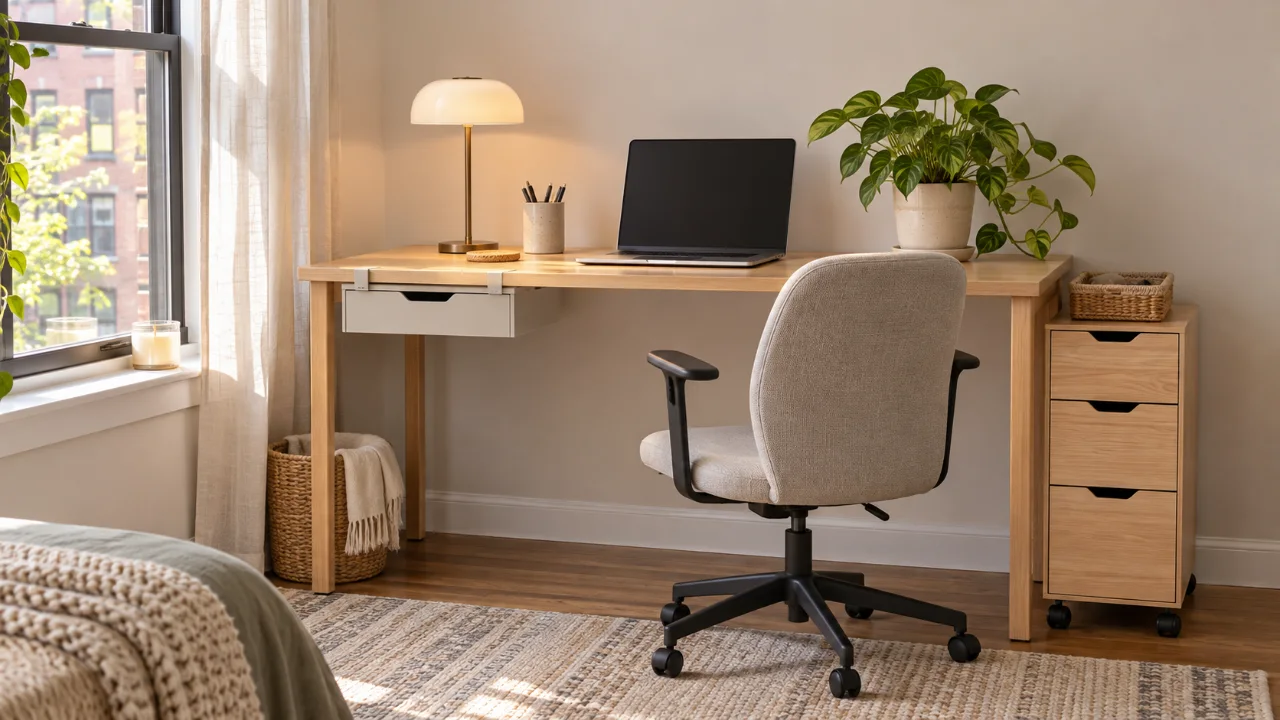
The best option is not automatically the largest drawer unit that fits beneath the desktop. Measure the open knee area first, decide what must stay within reach, and then choose a mounted drawer, clamp-on shelf, rolling cabinet, or side cart that preserves a clear center zone.
This buying guide explains how to compare the main formats, measure a compact workspace, and avoid the common mistake of turning useful floor space into a crowded obstacle course.
Start under desk storage planning with the empty space
Remove every box, cable bundle, wastebasket, and temporary pile from beneath the desk before measuring. Sit in your normal chair, move close enough to type, and test the full path of your knees and feet. Then roll the chair backward, swivel, and stand up as you normally would.
That movement test matters because a cabinet can fit on paper while still blocking the chair, forcing one knee inward, or creating a hard edge beside your shin. A sit-stand desk adds another variable: the storage must remain clear of the frame, crossbar, motor housing, and moving desktop at every height.
OSHA’s computer workstation guidance says the area under a work surface should provide adequate room for the user’s legs and should not be filled with items that limit needed leg and foot space. Its reference clearance dimensions include about 20 inches of width, 17 inches of depth at knee level, and 24 inches of depth at foot level. Treat those dimensions as a useful screening reference, not as proof that a particular product will fit your body, chair, or desk.
Record these six measurements
- Floor to the lowest obstruction, including drawers, aprons, braces, and cable trays.
- Clear width between desk legs, pedestals, or frame supports.
- Depth from the front edge to the rear frame, wall, or power strip.
- Your knee and foot travel while seated in a comfortable working position.
- Chair width, caster path, swivel radius, and pull-back distance.
- For an adjustable desk, the complete moving path from the lowest to highest setting.
If the workspace already feels tight, keep the center open and place storage to one side. A useful companion plan is the site’s small apartment home office that packs away at night, which helps separate daily work tools from items that do not need to remain at the desk.
Compare the four practical under-desk storage formats
Most products fall into four useful groups. The right choice depends on what you store, whether you can drill, how often the desk moves, and how much floor area must remain open.
| Format | Best for | Check before buying | Main tradeoff |
|---|---|---|---|
| Mounted pull-out drawer | Pens, chargers, notebooks, and small tools | Desktop thickness, screw length, rail depth, knee clearance, and cable tray conflicts | Efficient but may require permanent holes |
| Clamp-on drawer or shelf | Renters and desks that should not be drilled | Edge profile, apron interference, clamp opening, pad material, and rated load | Removable, but the clamp can occupy edge or thigh space |
| Rolling pedestal or file cabinet | Files, heavier supplies, and flexible placement | Overall height, drawer extension, caster locks, handle clearance, and open-drawer stability | High capacity, but uses floor area and chair travel |
| Narrow side cart | Mixed supplies that must move between rooms | Shelf lip, caster quality, turning space, weight distribution, and access from the chair | Versatile, but visible and easier to overload |
A mounted drawer is usually the least disruptive when the desk has a thick, solid work surface and a clear installation zone. A rolling pedestal is more appropriate when you need files or heavier supplies, provided it can sit beside your knees rather than directly in front of them. If you need the unit in more than one room, compare it with the site’s rolling storage cart measurement guide.
Choose the storage around the items, not the catalog photo
Make a short inventory before comparing products. Group the contents by size, weight, and frequency of use. Daily items should open with one hand while seated. Weekly items can sit in a lower drawer or side cart. Rarely used supplies may belong in a closet rather than under the desk.
A shallow drawer can hold a notebook, pens, headphones, and charging accessories without creating a deep obstacle. Paper files need internal dimensions that match the folders and enough extension to see labels. A printer, paper ream, or equipment case needs a platform with a clearly published load limit and enough ventilation and cable access for the exact device.
Do not treat a product photo as a capacity specification. Confirm the internal drawer dimensions, usable opening, total product height, fully extended depth, and manufacturer-rated load. If the seller does not publish essential measurements or installation instructions, choose a better-documented product.
Check the desk material and attachment method
A screw-mounted drawer depends on the desktop material and thickness. A short screw may not hold; a long screw can break through the top. Hollow-core, glass, stone, thin metal, and some composite desks may be unsuitable for a generic screw kit. Use only the hardware and installation method approved for the product and desk.
Clamp-on storage avoids holes, but it still needs a flat, strong edge. Decorative trim, beveled edges, thick aprons, drawer rails, and monitor-arm clamps can block the contact area. Protective pads should sit flat and remain visible enough to inspect. Recheck the clamp after the first few days and whenever the load changes.
Adhesive-only drawers are easy to install, but bond strength depends on the surface, preparation, temperature, product design, and curing directions. They are better suited to light contents when the manufacturer explicitly approves the surface and load. Do not add extra weight because the drawer “feels secure” on the first day.
Protect cables, vents, and desk movement
Under-desk storage often competes with power strips, charging bricks, cable trays, monitor-arm bolts, and standing-desk motors. Map those components before choosing a drawer width. Leave plugs accessible, avoid pinching cords behind a cabinet, and keep the storage out of any moving frame path.
Route cables so the chair cannot roll over them and the drawer cannot scrape or pull them. If the cable problem is larger than the storage problem, organize the wiring first using the site’s small-space cord organizer plan. The same principles apply at a compact desk: preserve slack where movement is required, keep connections accessible, and avoid hiding a damaged cord inside a crowded compartment.
Use a five-minute fit test before committing
- Mark the proposed product footprint on the floor or underside of the desk with removable painter’s tape.
- Sit, type, swivel, pull back, and stand up without changing your normal posture.
- Open a paper mock-up of each drawer to its listed extension depth.
- Move the desk through its full range if it is height adjustable.
- Check the path to outlets, cable connections, and any wall vent.
- Confirm that the product can be assembled, removed, and moved through the room without damage.
If the taped outline interferes with one knee, a caster, or the standing path, the product is too large for that location even when the exterior dimensions technically fit.
Common buying mistakes
Buying for maximum capacity
More drawers often mean less legroom and more forgotten supplies. Buy for a defined inventory, then leave some empty space for access rather than filling every cubic inch.
Ignoring full drawer extension
A cabinet may fit under the desktop while its open drawer collides with the chair. Compare both closed depth and fully extended depth.
Using a center-mounted drawer that is too deep
A deep tray can press against the thighs or force the chair too low. Test the underside clearance while seated before drilling or attaching a clamp.
Assuming every rolling cabinet is stable
Open only the drawers allowed by the manufacturer’s instructions, use caster locks when provided, and keep heavier supplies low. If a product includes an anti-tip device or anchoring instruction, install it as directed. Before buying, search the U.S. Consumer Product Safety Commission recall database for the exact brand and model rather than relying only on a marketplace listing.
A practical purchase checklist
- The center leg zone stays open instead of being treated as unused floor area.
- Closed and fully opened dimensions fit the desk and chair.
- The attachment method is approved for the desktop material and thickness.
- The published load limit covers the planned contents without guessing.
- Cables, power strips, vents, crossbars, and moving desk parts remain accessible.
- Drawers and casters operate without entering the normal chair path.
- The seller provides assembly, hardware, warranty, and return information.
- The exact model has been checked in the CPSC recall database.
Frequently asked questions
What is the best under desk storage for a very small desk?
A shallow side-mounted or clamp-on drawer is often the least intrusive choice, but only if it clears the desk frame and your thighs. Keep the center open and store bulkier supplies elsewhere.
Can I put a rolling file cabinet directly under my desk?
Yes, when the cabinet fits to one side without reducing your normal knee, foot, chair, and drawer movement. Measure the cabinet with drawers fully open, not only when closed.
Is adhesive under-desk storage renter-friendly?
It can avoid screw holes, but it may still damage a finish or fail on an incompatible surface. Follow the product’s surface, preparation, curing, removal, and load instructions, and obtain permission if your lease or furnished desk rules require it.
How much under-desk space should remain clear?
Enough space must remain for your legs, feet, chair movement, and comfortable working posture. OSHA provides reference clearance dimensions, but your own seated movement test and the desk’s frame geometry determine whether a specific storage unit works.
Sources and fact-checking
Reviewed November 12, 2026. Ergonomic clearance guidance was checked against the OSHA Computer Workstations desk guidance and its under-work-surface clearance reference. Product recall checks should use the current CPSC Recalls and Product Safety Warnings database. Product dimensions, load limits, installation methods, and surface compatibility remain model-specific and should be verified in the current manufacturer instructions before purchase.