
Home Command Center for Small Apartments: A Practical Setup
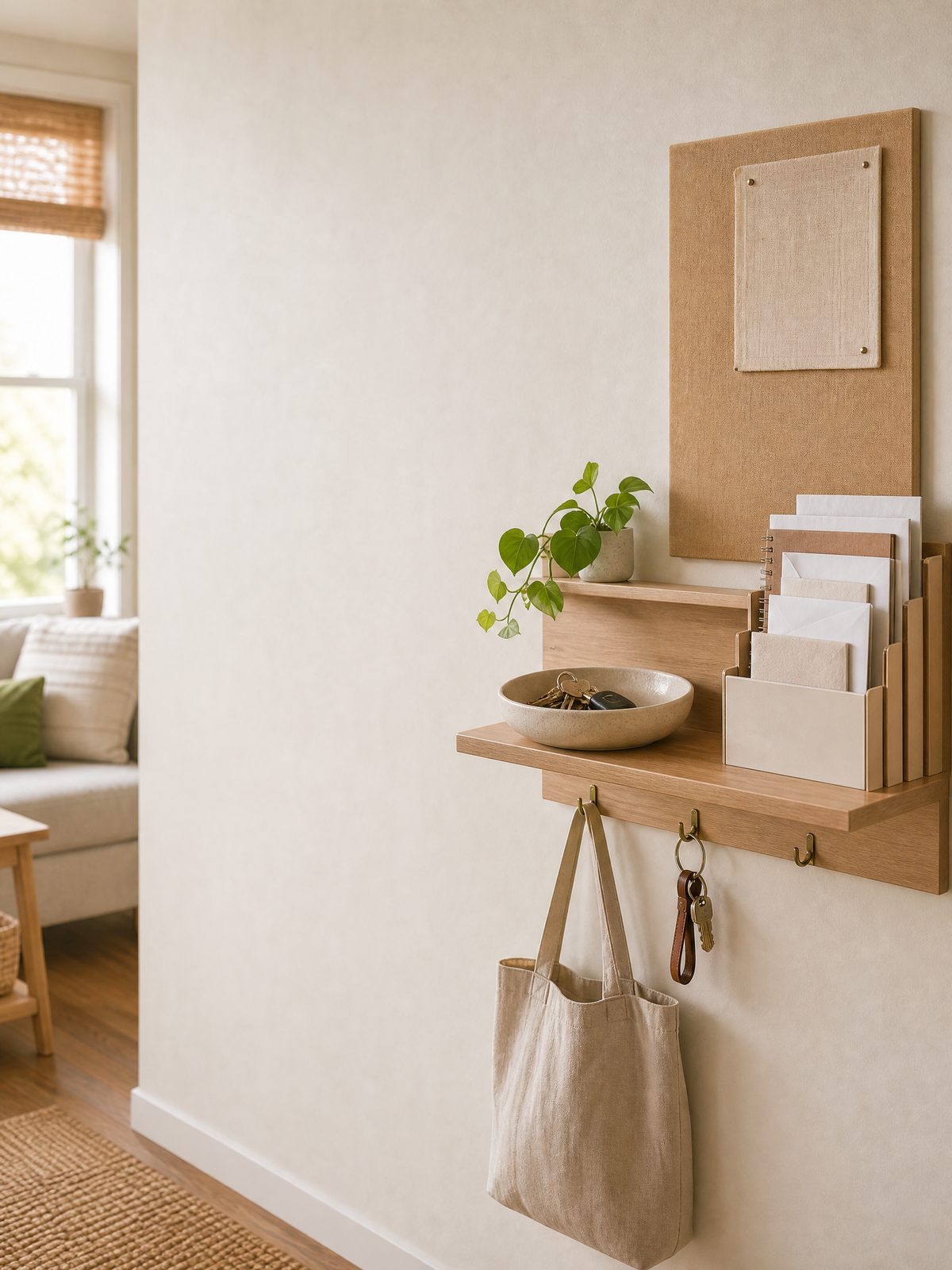
A home command center gives everyday papers and carry-in items one clear place to land. In a small apartment, it should not become a decorative wall that creates more clutter. It should help you answer four practical questions quickly: Where are the keys? Which mail needs action? What is happening next? Which papers must be stored somewhere more secure?
The best setup is usually compact, renter-friendly, and built around your real arrival path. You do not need a large mudroom or a matching organizer set. A narrow shelf, a stable tabletop tray, removable hooks used within their product limits, and a simple calendar can be enough. The goal is a short daily workflow, not a perfect display.
What a home command center actually needs
Start with functions rather than products. Most small homes need a landing place for daily carry items, a paper inbox, a visible schedule, and a route for sensitive documents to leave the open area. If a proposed accessory does not support one of those jobs, it may be unnecessary.
| Zone | What belongs there | Best small-space format | Clear-out rule |
|---|---|---|---|
| Daily carry | Keys, transit card, wallet, dog leash | Shallow dish or a few properly rated hooks | Only items used most days |
| Mail inbox | Unopened letters and notices | One vertical pocket or slim tray | Process on a fixed schedule |
| Action slot | Forms, returns, bills, appointment notes | One labeled folder or clipboard | Each item needs a next action |
| Schedule | Appointments, pickup dates, household tasks | Small monthly board or paper calendar | Remove expired notes weekly |
| Exit route | Shredding, filing, digital backup | Closed folder stored away from the entry | Move sensitive papers the same day |
This division keeps the visible station useful without turning it into long-term storage. If your entry already collects shoes, umbrellas, and cleaning tools, first simplify that area with a one-bin entryway reset. The command center needs a little visual space around it so urgent items do not disappear into background clutter.
Choose the right location before buying anything
Follow the arrival path
Stand just inside your door while holding the things you normally carry. Notice where you naturally pause to remove shoes, set down a bag, or check your phone. A home command center works best within one or two steps of that pause, but it should not narrow the walking path or block a door, switch, vent, alarm, or electrical panel.
In a studio, the right location may be the end of a kitchen counter, the side of a freestanding bookcase, or a narrow console. In a shared apartment, choose a spot that everyone can reach without entering a bedroom. If the only available wall is hidden behind an open door, use a tabletop or over-the-door solution instead of forcing a wall layout nobody will see.
Measure the working area, not just the wall
Measure width, height, and usable depth. Then check how far baskets, hooks, or knobs project into the room. Mark the proposed outline with removable painter’s tape and live with it for a day. Open the door fully, carry groceries past it, and test whether coats or bags catch on the setup. This quick test is more useful than buying from a product photo.
Renters should check the lease and building rules before drilling or installing semi-permanent hardware. Removable products are not automatically safe for every paint, finish, load, or humidity level. Follow the manufacturer’s surface preparation, weight, curing, and removal instructions, and avoid hanging irreplaceable or heavy objects from an adhesive fixture.
Build five zones in a practical order
- Create the key and carry zone. Use the smallest holder that fits the items carried daily. If hooks are not appropriate for the surface, place a weighted dish on a stable shelf. Keep spare keys somewhere more secure rather than labeling and displaying them near the entrance.
- Add one mail inbox. A single pocket is easier to maintain than separate decorative slots for every person. It should hold only unprocessed mail. Once an envelope is opened, it moves to action, filing, recycling, or secure disposal.
- Make an action folder. Use a closed folder for papers that need a signature, payment, phone call, return, or appointment. Write the next action and date on a sticky note or calendar instead of trusting the paper itself to remind you.
- Choose one schedule surface. A small paper calendar, dry-erase board, or shared digital calendar can work. The visible surface should show only the next few commitments that affect the household, not every private detail.
- Define the exit route. Place the recycling bin, shred box, permanent files, and emergency-document storage somewhere appropriate outside the open station. A command center fails when everything enters but nothing leaves.
For a cleaner arrival zone, pair the organizer with a simple dirt-control routine. This guide to cleaning a small entryway explains how to keep the landing area functional without spreading debris into the apartment.
Use a three-minute mail workflow
The U.S. Postal Inspection Service advises people to pick up mail promptly and to follow up when expected checks, cards, or other valuable mail do not arrive. It also points to USPS Hold Mail and Hold for Pickup as options in appropriate situations. That makes the mailbox-to-command-center route important: bring mail inside, place it in one inbox, and process it before the pocket becomes full.
A fast sorting routine can use four decisions:
- Act: Put the item in the action folder and record its next step.
- File: Move records that need retention to the proper closed file, not an open wall pocket.
- Recycle: Remove non-sensitive inserts and unwanted paper according to local recycling rules.
- Destroy securely: Handle documents containing sensitive personal or account information according to your own security needs and any applicable guidance.
Do not create a vague “later” pile. If an item cannot be handled immediately, give it a visible action date. A weekly paper review can work for routine mail, but urgent notices should be handled based on the actual deadline printed on the document.
Keep private records out of the open display
A visible home command center is useful for reminders, but it is a poor place for Social Security cards, passports, complete account statements, medical records, blank checks, passwords, or documents that reveal sensitive personal information. Ready.gov recommends gathering critical household information while safeguarding important documents, including options such as a safe deposit box, an external drive, or secure cloud storage.
Treat the command center as a routing station. A paper may stop there briefly while you decide what to do, but long-term originals and detailed records should move to a more secure location. If emergency access is the reason you are organizing records, use a dedicated system rather than mixing those files with coupons and appointment cards. Our renter emergency documents folder guide separates a grab-ready reference set from everyday mail.
For digital copies, choose a reputable storage method, protect the account with a strong unique password, and enable multifactor authentication when available. CISA advises using strong passwords and MFA for cloud accounts and keeping updated copies of critical data on devices you control. Avoid placing a QR code, password hint, or unlocked device containing sensitive records directly beside the entry.
Test the setup before upgrading it
Use inexpensive items you already own for the first two weeks. A bowl can test the key zone, a magazine file can test vertical mail storage, and a plain folder can test the action slot. During the trial, note where objects actually land and which category fills first.
At the end of each week, ask:
- Did anyone continue dropping keys or mail somewhere else?
- Could every person reach the organizer comfortably?
- Did private information remain visible longer than intended?
- Did the calendar show useful household actions without becoming crowded?
- Could the floor and surrounding surfaces still be cleaned easily?
Only then decide whether a purchased wall organizer, mail sorter, charging shelf, or narrow console would solve a proven problem. This prevents buying a large “command center” product that does not match the apartment’s traffic pattern.
Common mistakes and better alternatives
- Too many labeled pockets: Start with one inbox and one action folder. Add a category only after the mixed system repeatedly fails.
- Storing every receipt: Keep only receipts needed for returns, warranties, records, or another defined purpose. Route them out of the entry on schedule.
- Hanging heavy bags on light organizers: Use fixtures only within their instructions and move heavier items to a stable floor or furniture-based solution.
- Mixing private and shared information: Display only the minimum needed for household coordination. Store sensitive details elsewhere.
- Skipping the weekly reset: Choose a repeatable moment, such as after checking the weekend schedule, to empty the inbox and remove outdated notes.
FAQ
What should be included in a home command center?
For most small homes, include a key or daily-carry zone, one mail inbox, one action folder, and a simple schedule. Add charging, school-paper, or pet-care sections only when they solve a repeated need. Keep sensitive records and spare keys in a more secure location.
Can a renter install a wall command center without drilling?
Possibly, but the right method depends on the surface, product, load, lease, and building rules. Tabletop trays, over-the-door organizers, and freestanding boards avoid wall holes. If you use removable adhesive hardware, follow its surface and weight instructions exactly and test removal in an inconspicuous area when appropriate.
How often should I clear the mail organizer?
Pick up and review mail promptly, especially when you expect valuable or time-sensitive items. A small inbox should be processed before it becomes full. Many households can use a brief daily scan plus one scheduled weekly filing session, while deadlines on actual notices should control urgent action.
Is a digital family calendar enough?
It can be, if everyone reliably checks it. A small physical reminder may still help with keys, incoming paper, returns, and items that must leave the apartment. The best system can combine a shared digital calendar with a compact physical landing zone instead of duplicating every detail in both places.
Sources and fact-checking
This guide offers practical organization ideas, not lease, legal, financial, or security advice. Product limits, building rules, and document needs vary.
- Ready.gov – Financial Preparedness – guidance on gathering and safeguarding critical household records.
- U.S. Postal Inspection Service – Mail and Package Theft – guidance on prompt mail pickup, overdue valuable mail, and pickup options.
- CISA – Cloud Storage and Services – guidance on passwords, multifactor authentication, and retaining controlled backups.
Fact-checked against the linked official resources on November 2, 2026.