
Rental Move Out Checklist: Photos to Take Before You Return the Keys
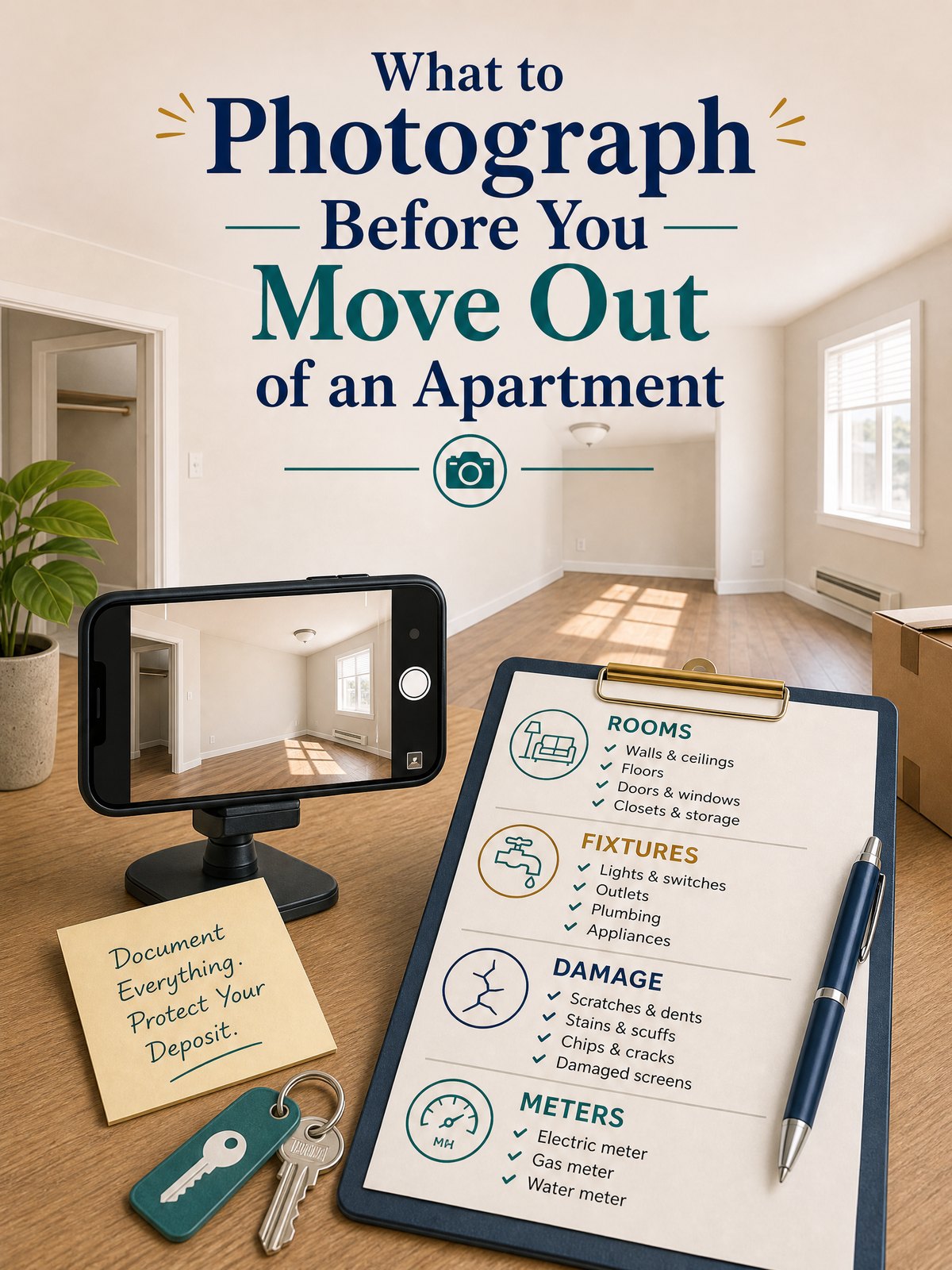
A useful rental move out checklist should do more than remind you to clean. It should help you create a clear, organized record of the apartment’s condition before you return the keys. Photograph every empty room from more than one angle, document surfaces and fixtures, record any existing damage in context, and save the original files somewhere you can still access after the move.
Photos do not guarantee that a security-deposit disagreement will be resolved in your favor, and move-out rules vary by state, city, lease, and housing program. They do give you a practical record for the final walkthrough and any later conversation about cleaning or damage. Start with your lease and the written instructions from your landlord or property manager.
Before you take photos, check the paperwork
Read the move-out section of your lease before the apartment is empty. Look for the notice deadline, cleaning standards, key-return procedure, inspection process, forwarding-address requirement, and any instructions for documenting the unit. If the property manager has sent a separate checklist, save it with the lease.
Ask in writing whether a pre-move-out or final inspection is available and whether you may attend. The answer depends on local law and your rental agreement. For example, Los Angeles County consumer guidance tells renters to photograph the entire unit and describes an initial inspection process under California law. Virginia Housing’s renter handbook also recommends photos and a condition report, while explaining Virginia-specific inspection procedures. Treat these as useful examples, not nationwide rules.
If you still have cleaning to do, take a quick set of “before” images, then take the complete set after the unit is empty and clean. The final set should show what the apartment looked like as close as practical to the time you surrendered possession.
Rental move out checklist: the photos to capture
Work in a fixed order so you do not skip a closet, appliance, or wall. Start at the front door and move clockwise through the apartment. In each space, take wide context photos first and detail photos second.
| Area | Wide photos | Detail photos | What the image should establish |
|---|---|---|---|
| Entry and living area | Doorway view, each wall, full floor and ceiling | Door, locks, blinds, outlets, baseboards, marks or repairs | Overall condition and the location of any issue |
| Kitchen | Full counters, cabinets, sink and appliance arrangement | Inside clean appliances, model labels, burners, cabinet interiors, sink and disposal area | Cleanliness, included equipment and visible damage |
| Bathroom | Full room, tub or shower, vanity and floor | Caulk, grout, fixtures, cabinet interior, mirror, toilet and ventilation area | Water-area condition without hiding stains or chips |
| Bedrooms and closets | Each wall, floor, ceiling and empty closet | Window coverings, shelves, doors, hardware and existing marks | That storage areas were emptied and room surfaces were documented |
| Final handoff items | Empty unit from the entrance and final exterior door view | Keys, remotes, parking tags, labeled meters if relevant, and written receipt | What was returned and the unit’s condition at handoff |
1. Photograph every room as an empty space
Take at least two wide photos from opposite corners when the room layout allows it. Include the floor, walls, windows, ceiling, doors, and built-in storage. A close-up of a scuff without any context can be hard to place later, so pair every important detail with a wider image that shows its location.
Open closets, cabinets, and built-in drawers after they have been emptied and cleaned. Photograph balconies, patios, storage lockers, garages, or assigned parking spaces if they are part of the rental. If a space is dark, turn on the lights and use a steady position rather than relying on heavy editing later.
2. Document cleaning and repair work honestly
Photograph the cleaned range, oven interior, refrigerator interior, sink, tub or shower, floors, and other areas commonly reviewed during a walkthrough. Do not stage an image to hide a defect. If you patched a small hole or cleaned a stain, capture the finished area in normal room lighting.
If something remains damaged, take one wide photo, one medium-distance photo, and one clear close-up. Include a familiar reference only when it helps show scale and does not cover the surface. Keep invoices or written maintenance messages separately if they explain a repair, prior leak, appliance problem, or landlord-approved change.
For a room-by-room cleaning sequence, use the site’s apartment move-out cleaning checklist before you create the final photo set.
3. Capture fixtures and included appliances
Take photos of the refrigerator, range, dishwasher, microwave, washer, dryer, smoke alarms, thermostat, ceiling fans, blinds, and other items supplied with the unit. A photo of an appliance display or light can show that it powered on, but it does not prove every function worked. Avoid making claims the image cannot support.
Photograph model or serial labels only when they are relevant to an existing maintenance issue or a written inventory. Check the image afterward so the label is readable. Do not include unrelated personal documents, account numbers, mail, medication labels, or another person in the frame.
4. Record keys, remotes, and handoff details
Lay out the keys, fobs, mailbox keys, garage remotes, parking tags, and access cards you are returning. Take one clear photo, but do not post it publicly or include a close-up that could reveal a copyable key pattern. Ask for a written receipt or confirmation when the items are handed over.
If your lease or utility process calls for a final meter reading, photograph the labeled meter and its display. First confirm that you are looking at the correct meter and that you may safely access it. Do not enter locked utility areas or touch equipment.
How to make the photo record easier to use
The strongest practical record is easy to understand without a long explanation. Keep the original files, preserve their metadata, and organize copies by room. A simple naming pattern such as 2026-10-30_kitchen_oven-clean_01.jpg is more useful than a folder full of default camera numbers.
- Create one main folder. Name it with the property, unit, and move-out date.
- Add room folders. Use Entry, Living Room, Kitchen, Bathroom, Bedroom, Storage, and Handoff.
- Keep originals unchanged. Make separate copies if you need to crop or brighten an image for an email.
- Write a short index. List each important issue, the matching filenames, and any related maintenance message.
- Back up the folder. Keep copies in two places you control, such as a computer and a reputable cloud account.
If you already created a move-in record, compare the same walls, fixtures, and angles. The site’s move-in photo organization system explains how to keep the two sets aligned. Do not delete the move-in originals when you create the move-out folder.
Photos, video, or both?
Photos are faster to review, attach, and match to a checklist. Video gives continuous context and can reveal that rooms connect in the way shown. Using both is often practical: take the complete photo set first, then record one slow walkthrough from the entrance through every room.
Move slowly, avoid fast pans, and pause at areas you documented with still images. You do not need dramatic narration. State the date, address or unit identifier, room name, and what the camera is showing. Remember that a spoken date is not a substitute for preserving the original file.
Common mistakes that weaken a move-out record
- Taking only close-ups: without a wider image, the location may be unclear.
- Photographing before the unit is empty: boxes and furniture can block floors, walls, and outlets.
- Using screenshots instead of originals: screenshots may remove useful metadata and reduce quality.
- Editing every image: aggressive filters, markup, or compression can make the record harder to evaluate.
- Ignoring closets and appliance interiors: small enclosed areas are easy to miss during a rushed final pass.
- Relying on photos instead of written communication: save the lease, notices, inspection messages, and key-return confirmation too.
- Sending huge attachments without agreement: ask how the property manager wants documentation delivered and keep proof of what you sent.
What to do at the final walkthrough
Bring the landlord’s checklist, your phone, and a way to take notes. If an issue is identified, ask for a specific description and photograph the area after the conversation. Do not sign a document you do not understand. Request a copy of anything you sign or receive.
After the walkthrough, save the final notes with your photos. Send the forwarding address and any required documents through the method specified in the lease or local rules. Keep the entire package until the security-deposit process and final account are complete. If a dispute develops, consult an official state or local housing resource or qualified legal help rather than relying on a general blog post.
Pack your phone charger and key-return items where they will not disappear into the moving truck. The moving day essentials guide can help keep those last-day items accessible.
Frequently asked questions
When should I take move-out photos?
Take the complete set after your belongings are removed and final cleaning is finished, but before you surrender the keys. If you need to document preexisting damage or cleaning progress, take an earlier set too and keep the sets in separate folders.
Should I email all the photos to my landlord?
Follow the lease and written move-out instructions. Ask what format the landlord accepts before sending large files. Whether or not you send every image, keep the originals and a record of any files or links you delivered.
Do move-out photos guarantee my security deposit will be returned?
No. Photos are one part of the record. The lease, move-in condition report, written maintenance history, local law, inspection findings, cleaning, unpaid charges, and documented damage may all affect the final accounting.
How long should I keep apartment move-out photos?
Keep them at least until the deposit and final account are resolved. Because dispute deadlines vary by location and situation, use an official state or local housing resource or legal professional to decide whether you should retain them longer.
Sources and fact-checking
This guide provides general organization and documentation advice, not legal advice. Lease terms and tenant rules vary by state and locality.
- Los Angeles County Department of Consumer and Business Affairs — Moving Out — Official consumer guidance on notice, inspections, unit condition, and photographing the entire rental before leaving.
- Virginia Housing — How to Be a Successful Renter — Official renter handbook covering condition reports, move-out inspections, photo documentation, cleaning, and recordkeeping under Virginia rules.
- New York State Attorney General — Residential Tenants’ Rights Guide — Official state guidance illustrating how pre-move-out inspection and security-deposit procedures can differ by jurisdiction.
Fact-checked against the linked official resources on October 30, 2026.