
Electronics Recycling Before a Move: Keep, Donate, or Drop Off
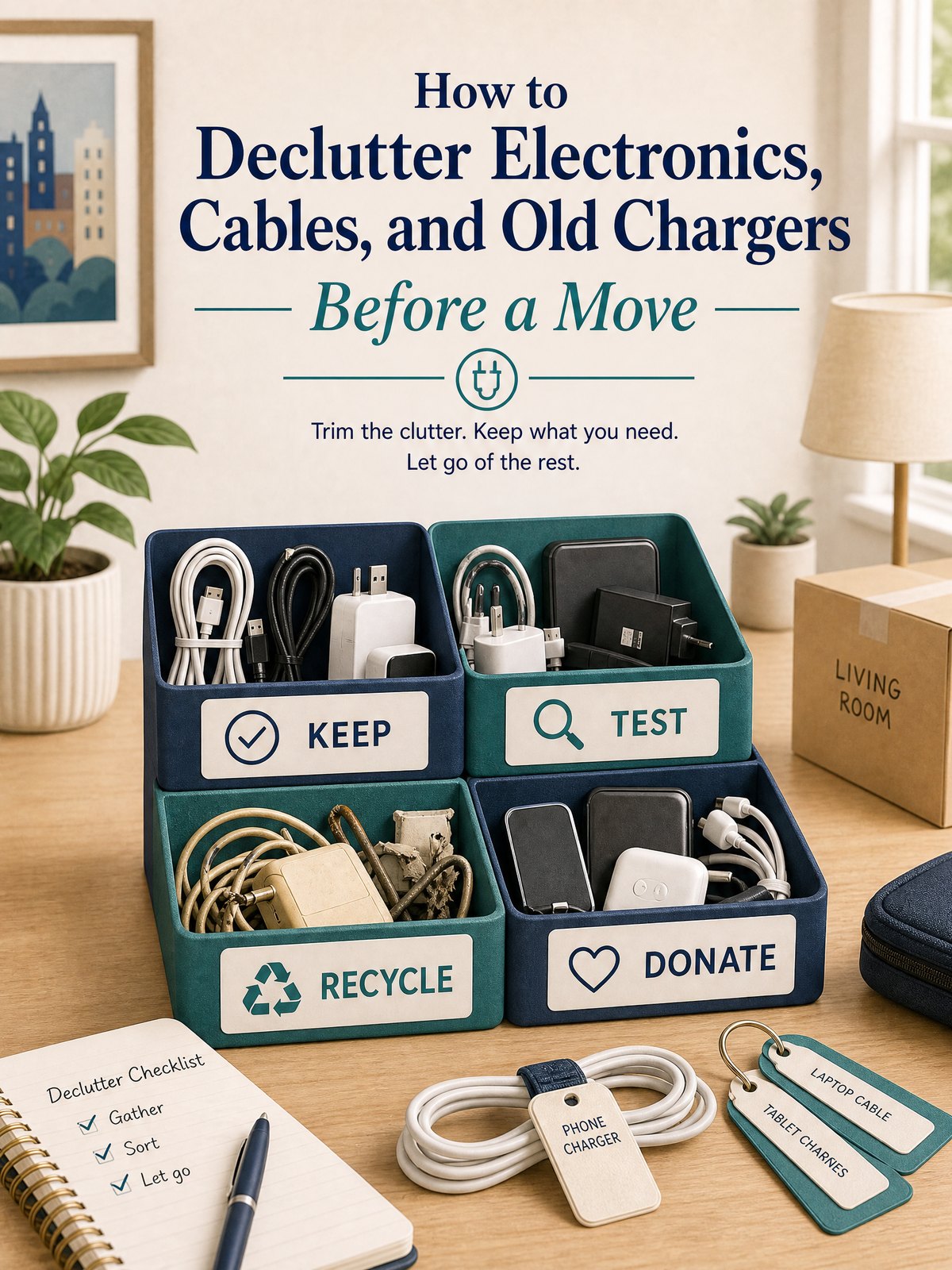
Electronics recycling before a move is easiest when you separate usable gear from true e-waste before packing day. Keep only devices and cables you can identify, donate working equipment after removing personal data, and confirm a local recycling route for broken or obsolete items. Batteries need their own check because lithium-ion batteries and devices containing them should not go in household trash or curbside recycling.
This approach keeps mystery cords out of your new home and prevents a last-minute pile of devices that a mover, donation center, or municipal program may not accept. It also gives you time to compare drop-off, pickup, retailer take-back, and certified recycler options instead of choosing the first service you find.
Quick answer: sort by the next useful destination
Do not begin by asking whether an item is old. Ask whether it works, whether you can identify its purpose, whether it contains personal data, and whether a specific program will accept it. Use four destinations:
- Keep: working devices and accessories you use, can identify, and plan to reconnect.
- Donate or sell: working equipment with useful life left, after data removal and acceptance confirmation.
- Recycle: broken, obsolete, or unsupported electronics accepted by a retailer, municipal program, or electronics recycler.
- Verify separately: loose batteries, damaged battery-powered devices, and anything with swelling, leaking, heat damage, or an unknown battery condition.
If you are sorting many household categories at once, use the broader donate, recycle, or dispose decision guide first. Then return to this electronics-specific process for data and battery checks.
Electronics recycling decision table
| Item | Best first check | Likely route | Before it leaves your home |
|---|---|---|---|
| Current phone, tablet, or laptop | Does it work and receive needed updates? | Keep, sell, donate, or manufacturer trade-in | Back up files, sign out, remove personal data, and follow the device maker’s reset instructions |
| Working older device | Will a named person or organization use it? | Donation, resale, or refurbisher | Confirm acceptance, include only matched accessories, and remove personal information |
| Broken or obsolete electronics | Does a local program list this exact item? | Municipal event, retailer take-back, or electronics recycler | Check fees, appointment rules, quantity limits, and data-handling terms |
| Loose cables and chargers | Can you identify the connector and a device that uses it? | Keep labeled, donate as a matched set, or use an e-waste program | Remove damaged cords from the keep pile and bundle working cords by device |
| Removable lithium-ion battery | Is removal intended for the user and is the battery undamaged? | Specialized battery or electronics collection | Follow product markings; protect terminals with non-conductive tape or place each battery in a separate plastic bag |
| Swollen, damaged, or recalled battery device | Is there heat, swelling, puncture, leakage, or a recall notice? | Manufacturer or local hazardous-waste guidance | Do not put it in trash or curbside recycling; get item-specific handling instructions before transport |
A practical electronics sorting process before moving
1. Gather by device, not by cable type
Start with one device at a time. Place the laptop, monitor, phone, game system, router, or small appliance on a clear surface, then find its power cord, charging cable, adapter, and any accessory that makes it usable. This is faster than sorting a box of black cables by appearance.
Test only what you can test safely. Add a small removable label with the device name to each matched cable. If you cannot identify a cord after checking the equipment you own, move it to a short-term review bag rather than your keep box. Give that bag a deadline, such as the day before your recycling appointment. Unidentified duplicates should not automatically earn space in the moving truck.
2. Decide whether a working device has a real next user
Donation is useful only when the recipient accepts the item and can use it. Call or check the organization’s current list before driving over, especially for televisions, printers, monitors, and older computers. Acceptance may depend on age, condition, screen type, or included parts.
For phones, tablets, computers, and other connected devices, back up anything you need, sign out of accounts, remove removable storage or SIM cards when applicable, and follow the manufacturer’s reset process. The U.S. Environmental Protection Agency advises deleting personal information before donation or recycling. A recycler’s data-destruction service can be an additional safeguard, but it should not replace your own preparation when the device still works.
3. Compare local recycling options before paying for pickup
An electronics recycling search can surface municipal programs, retail take-back counters, junk removal companies, mail-in programs, and specialized recyclers. They are not interchangeable. Ask these questions before choosing:
- Is this exact device accepted, including its size and battery type?
- Is the service free, fee-based, or free only with a purchase?
- Is drop-off required, or is residential pickup available?
- Are there appointment, identification, residency, or quantity requirements?
- What happens to stored data and reusable equipment?
- Does the recycler use an R2 or e-Stewards certified process, or can it identify its downstream recycler?
The EPA identifies R2 and e-Stewards as the two accredited certification standards for electronics recyclers in the United States. Certification is especially useful when data security, downstream handling, or a larger quantity of equipment matters. Households can also use retailer or community collection programs, but should still confirm current acceptance rules.
| Option | Best for | Tradeoff to check |
|---|---|---|
| Municipal or county collection | Residents with a few common household devices | Limited dates, residency rules, item limits, or fees |
| Retailer or manufacturer take-back | Convenient drop-off for listed products | Brand, size, purchase, or store-specific restrictions |
| Certified electronics recycler | Data-bearing devices, unusual equipment, or multiple items | Travel distance, minimum charges, or business-focused services |
| Donation or refurbisher | Working devices with a clear second use | Condition standards and the need to remove personal data |
| Junk removal or pickup service | Bulky items or no vehicle access | Ask where electronics go and whether recycling is included in the quote |
4. Separate batteries from ordinary moving boxes
Lithium-ion batteries and devices containing them should not go in household garbage or municipal recycling bins. EPA guidance explains that batteries can be damaged or crushed during collection and sorting, creating a fire hazard. For an undamaged, user-removable battery, follow product markings and the collection program’s instructions. EPA recommends placing each battery or battery-containing device in a separate plastic bag and covering exposed terminals with non-conductive tape.
Do not force open a device to remove a battery that is not designed for user service. If a battery is swollen, damaged, recalled, or otherwise questionable, stop the normal packing process and contact the manufacturer or a local household hazardous-waste program for instructions. For a broader apartment setup after the move, see the guide to old batteries and household chemicals.
5. Schedule the drop-off before moving week
Choose a date while you still have internet access, a vehicle plan, and time to resolve a rejected item. Put the accepted electronics in a sturdy container that prevents movement and keeps loose accessories together. Do not mix an unidentified damaged battery into a box of cables or household goods.
Add the appointment, address, item list, and fee to your moving calendar. The four-week apartment moving checklist can help you place this task before the final packing rush. If you use a pickup company, ask for a written itemized quote and confirm whether the company recycles electronics or simply removes them.
Common mistakes that create extra cost or risk
- Assuming curbside recycling accepts electronics: ordinary household recycling programs commonly exclude devices and batteries. Confirm locally.
- Driving to a retailer without checking the item list: stores may accept phones and computers but not televisions, appliances, or loose components.
- Donating devices without preparing the data: back up what you need and remove personal information before the handoff.
- Keeping every mystery charger: a cable without a known device or current use is clutter, not a backup plan.
- Mixing loose batteries with cords: handle batteries as a separate category and protect terminals as directed.
- Choosing pickup based only on the lowest quote: compare accepted items, recycling route, fees, and data handling.
- Waiting until moving day: collection events may be seasonal, appointment-only, or limited to residents.
What to keep in the new home
Keep a small, labeled set of electronics that supports the first week: current phone and laptop chargers, internet equipment, one power strip in good condition, and the cables for devices you will set up immediately. Pack them in a clearly marked box that stays with you rather than disappearing into general storage.
For each extra cable, name the device it serves. If you cannot, do not give it permanent storage by default. A compact cable kit with matched, tested items is more useful than a large bin of uncertain adapters.
Frequently asked questions
Can old electronics go in a curbside recycling bin?
Do not assume they can. Electronics and lithium-ion batteries may require separate collection, and EPA states that lithium-ion batteries and devices containing them should not go in household garbage or municipal recycling bins. Check your local solid-waste program for the exact item.
How do I find electronics recycling near me?
Start with your city or county solid-waste website, then compare retailer take-back programs and electronics recyclers. Confirm the exact item, fee, appointment rules, residency requirements, and whether the recycler uses an R2 or e-Stewards certified process.
Should I remove the battery before recycling a device?
Remove it only if the product is designed for safe user removal and the collection program asks you to do so. Follow product markings. Do not pry open a sealed device. For damaged or swollen batteries, contact the manufacturer or local household hazardous-waste program for item-specific instructions.
Do I need to erase a device before donating or recycling it?
Yes. Back up needed files, sign out of accounts, remove removable storage or SIM cards when applicable, and use the manufacturer’s reset instructions. EPA advises deleting personal information before donation or recycling, even when a recycler also offers data destruction.
Sources and fact-checking
Key safety and recycling statements were checked on October 29, 2026 against current U.S. EPA guidance:
- U.S. EPA: Electronics Donation and Recycling
- U.S. EPA: Used Lithium-Ion Batteries
- U.S. EPA: Certified Electronics Recyclers
Local acceptance lists, prices, and appointment rules can change. Verify them with the program or service provider before loading electronics for transport.