
Smart Plug Appliance Load Rating: Match the Device, Not the Outlet
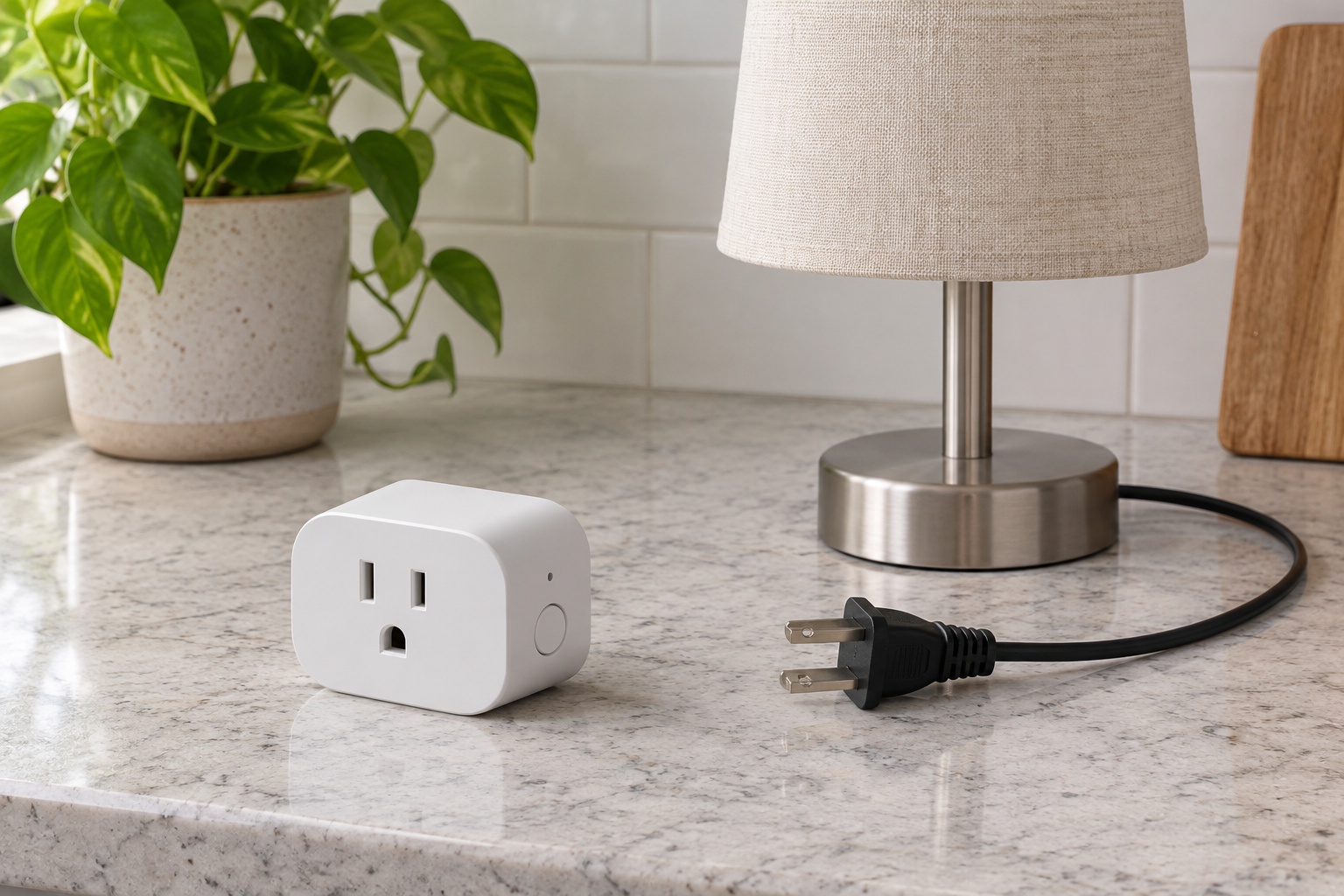
A smart plug appliance load rating must match the exact plug and the appliance’s actual electrical load. “15A” on one product does not make every appliance, motor, or heater acceptable for every smart plug. This is a model-specific decision, not a substitute for a manufacturer’s instructions, local requirements, or qualified help. Keep the product label and its current US documentation together while you decide.
Start with the label on both products
Read the smart plug’s model number, US electrical rating, supported-load language, and current manual. Then read the appliance nameplate and its manual. These are two separate limits. The plug’s outlet shape and a household receptacle do not establish compatibility by themselves. A product rated for a general or resistive load may have a different limit, warning, or exclusion for a motor, heating element, or duty cycle.
For example, The cited TP-Link Kasa HS103(US) 1.0 guide lists a 10A maximum and 1200W for general or resistive load. The cited 2024 Kasa EP25 guide separately lists supported-load examples and limits, including particular heater, humidifier, toaster, tower fan, and iron values. Those limits apply to the documented EP25 and HS103(US) 1.0 versions, not to every Kasa, Tapo, or other smart plug.
| Load decision | Why a headline amp rating is not enough | Safer action |
|---|---|---|
| Lamp or simple resistive device | Exact plug and appliance ratings can still differ | Compare both labels and manual |
| Motor-driven appliance | Starting behavior and manufacturer limits may differ | Use only when both manuals allow it |
| Portable heater or other heating appliance | Heat creates a higher-consequence use case | Follow both manufacturers; do not assume automation is allowed |
| Kitchen heat appliance | Unattended operation can create separate hazards | Do not use a smart plug as a substitute for supervision |
| Unknown or damaged appliance | Rating cannot establish condition or suitability | Do not connect it; resolve the condition first |
Classify the appliance before you automate it
Do not reduce every load to one number. A lamp, fan, humidifier, coffee maker, space heater, and power tool can have different operating characteristics and manufacturer restrictions. The exact smart plug may list only certain supported categories. If the appliance manual says not to use an adapter, timer, extension device, or remote switching device, that instruction controls the decision.
Heaters require special caution. A smart plug does not make a portable heater appropriate for unattended or sleeping use. The related space heater safety guide explains why a clear location and direct attention remain important. Likewise, an induction cooktop is not a smart-plug automation experiment; see the portable induction cooktop checks for appliance-specific outlet and cookware considerations.
Do not treat a plug rating as permission to leave a device on
A compatible electrical rating answers only one part of the question. It does not override an appliance’s operating instructions, eliminate fire risk, or prove that a particular room, circuit, outlet, or appliance condition is suitable. Do not use schedules or remote control to defeat required supervision, dry-run protection, cool-down steps, or a manual shutoff routine.
Before connecting anything, inspect the plug, receptacle, appliance cord, and device body for damage, heat discoloration, looseness, moisture, or modification. Stop rather than troubleshooting live electrical equipment if something is abnormal. A qualified electrician can assess an outlet or circuit concern; the product maker can answer model-specific smart-plug compatibility.
Make a written yes-or-no decision
Use the exact model manuals to document: appliance type, appliance electrical label, smart-plug rating, any excluded use, and whether the appliance still needs direct supervision. If any line is unknown, the answer is not “probably.” Connect directly to the wall outlet or choose not to automate until the manufacturer clarifies it. Keep the smart plug accessible so it can be disconnected without moving furniture.
Read the appliance manual for control restrictions
Some appliances are designed to be turned on only by a local control, to be watched while operating, or to cool down before storage. Others may not restart in a safe state after power is restored. A smart plug cannot know whether a pan is empty, airflow is blocked, a reservoir is dry, or someone has placed material near a heat source. Do not use app control to bypass any of those protections.
Check what happens after a power interruption as described by the appliance maker. An appliance that returns to an “on” setting when power is restored presents a different decision from one that remains off until a person operates its control. This is a reason to read the exact manual, not an invitation to test behavior with a risky appliance.
Keep the electrical path simple and visible
Connect only as the manuals allow. Do not stack smart plugs, connect them to power strips, conceal them under rugs, or use damaged outlets. Make sure the plug is fully seated and that the device is not carrying the weight of a cord or appliance. If a receptacle is loose, warm, discolored, wet, or otherwise abnormal, stop using it and arrange qualified assessment.
Review automation after a household change
Revisit the decision when you move, change the appliance, add a roommate, or change how a room is used. The right answer can change when a lamp becomes a heater, when a child or pet can reach a device, or when a temporary setup becomes routine. Delete schedules you no longer need and keep control available to everyone who uses the appliance.
FAQ
Can I use a 15A smart plug with any appliance?
No. The plug rating does not override its supported-load categories, the appliance manual, or safe supervision requirements.
Are heaters automatically safe on smart plugs?
No. Check both exact manuals. Do not use remote control to make an unattended heater acceptable.
Why do motor loads need a separate check?
A motor-driven appliance may have model-specific restrictions or operating behavior that a general load figure does not describe.
Can a smart plug fix an overloaded circuit?
No. Do not use it to manage a circuit problem. Have uncertain electrical conditions evaluated by a qualified electrician.
Check the exact model in safety notices
Check the smart plug’s brand and exact model in CPSC notices before adding it to an appliance setup. Match any listed serial, lot, or date range to the actual label and follow the notice’s instructions. Deleting an app schedule or choosing a lighter appliance does not replace a required remedy. Use CPSC Recalls & Product Safety Warnings. No search result is a guarantee of safety.
Sources and fact-checking
Checked against the official sources below on November 27, 2026. This is research-based guidance, not a claim of hands-on product testing.


댓글 0
첫 댓글을 남겨보세요.