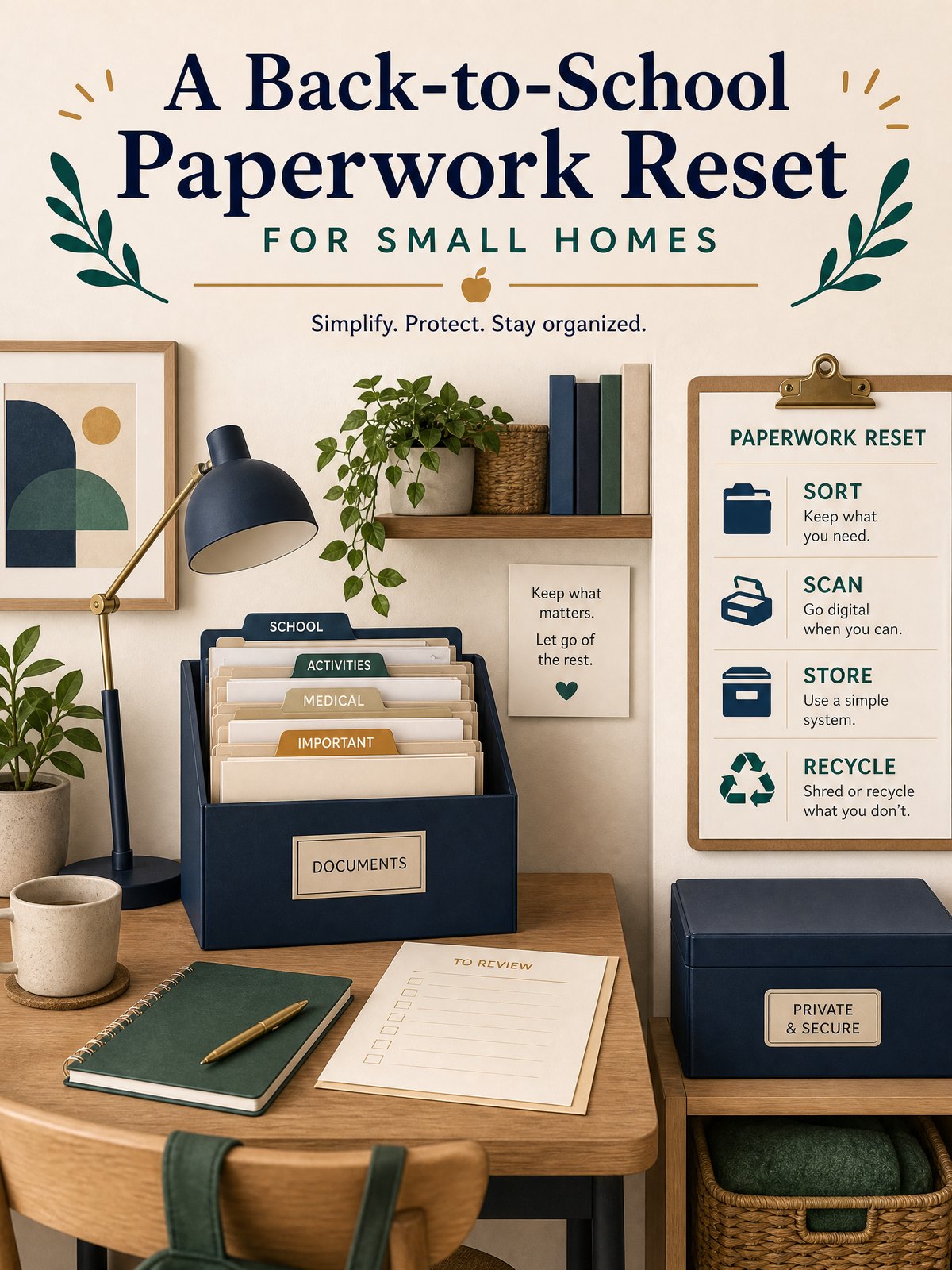
A Back-to-School Paperwork Reset for Small Homes
Back-to-school season brings a pile of forms, permission slips, schedules, and contact updates that quickly overwhelm a small home. If you live in a studio or share limited storage, the pile can feel like a constant, visible to-do that makes mornings worse and emergency access uncertain.
This article walks through a compact, repeatable paperwork reset that fits in tight spaces: decide what to keep, where to keep it, how to share it with caregivers, and how to make the whole system quick to maintain. The goal is a secure, accessible set of records and contacts you can actually use on a busy weekday.
Start with the real constraint
Space is the constraint. In small homes you often trade a dedicated filing cabinet for a single drawer, a wall hook, or a digital folder. That forces choices: you can keep everything physically handy but visible, or you can keep less on hand and rely more on secure digital copies. Both approaches are practical options; which is right depends on your habits and any rules in your lease about installed storage or modifications.
Also accept that the person who needs a document most might not be you at 7:30 a.m. — it could be a caregiver, neighbor, or school staff. The system should balance quick access with reasonable security. Ready.gov advises organizing critical household, insurance, financial, and medical records before an emergency and safeguarding them in a secure accessible location.
At-a-glance plan
| Step | What to do | Time to budget | Decision signal |
|---|---|---|---|
| 1 | Gather all school and household paperwork into one staging spot (physical and digital). | 30–60 minutes | If you find duplicates or expired forms, mark for discard or update now. |
| 2 | Sort into three piles: Keep short-term (current semester), Keep long-term, and Reference-only (scans). | 20–30 minutes | Keep long-term only items you’ll need for re-enrollment, insurance, or legal verification. |
| 3 | Create secure storage: a small locked box or a password-protected cloud folder as a practical option. | 15–30 minutes | Choose physical if you expect frequent offline access; choose digital if space or sharing is primary. |
| 4 | Assemble a one-page contacts and schedule card and distribute copies to caregivers or upload to the shared folder. | 10–20 minutes | If someone else looks for information first, they should find the one-page card before opening other files. |
Build the system step by step
- Collect everything in one place. Pull mail, backpacks, and notes into a single basket or a single desktop folder and set a timer for a short session so the job finishes.
- Sort quickly: Current semester papers you need weekly; items to keep longer (immunization records, year-end reports); and reference-only papers you will scan and discard.
- Decide storage types: a small locked box or fire-resistant envelope for originals in the apartment, or a password-protected cloud folder for scanned copies as a practical option.
- Create a single-page quick-reference that lists emergency contacts, school phone/email, pickup permissions, medications, and the location of originals (physical or folder name).
- Set sharing rules: print two copies of the quick-reference for caregivers and add the digital copy to your shared folder or app. Verify permissions with anyone you’ll share sensitive info with and follow your product or service terms as appropriate.
After those steps, label the storage (folder name or box label), scan the long-term keepers if you chose digital backups, and place the quick-reference where others will see it but sensitive originals remain protected. Remember to check your lease for rules about installed locks or storage changes before making physical alterations.
Trade-offs to consider
Every compact system balances availability, privacy, and the physical limits of your home. Be explicit about which trade-offs you accept.
- Convenience vs. security: leaving a quick-reference visible speeds pickup but exposes contacts; keeping everything locked protects privacy but slows access.
- Physical originals vs. digital copies: originals may be required for some processes; scans save space and are easier to share as a personal planning approach.
- Minimalism vs. completeness: keeping only current semester items reduces clutter but means retrieving archived records later if needed.
Keep it workable
Make the reset a calendar habit: a 15–30 minute paperwork check at the start of each semester and a five-minute update each week keeps the system from drifting. Use durable containers or clear folder labels so you can find things at a glance. For digital copies, pick a clear naming convention (Year_DocName_ChildInitial) so you and anyone you share with can locate files quickly; verify any sharing structure with caregivers to avoid accidental exposure. Follow product labels, service terms, and local rules when storing or sharing sensitive records.
FAQ
What documents should I keep in original form?
Keep originals that are hard to replace or commonly requested for official processes, such as birth certificates, finalized custody agreements, or original medical immunization records. If you rent, check your lease for rules about storing valuables on-site and follow local requirements for preserving specific documents as needed.
Is scanning everything to the cloud safer for a small home?
Scanning reduces physical clutter and makes sharing easier, which is a practical option for small homes. However, cloud storage introduces privacy and access questions—use strong, unique passwords and review service terms. For critical originals, keep at least one secure physical copy if you expect offline verification will be required.
How do I share emergency access without oversharing personal details?
Create a one-page emergency card that lists only essential contacts, permissions, and the location of more detailed files; distribute that card rather than full folders. Ask caregivers to confirm receipt and follow any applicable product or service instructions when granting digital access.
Pick one small weekend block this month to run the first reset and schedule the quick weekly check for the term. If anything in your plan interacts with tenancy rules or a product’s instructions, verify with your lease or the manufacturer before making changes.
Sources and fact-checking
This guide provides practical editorial guidance. Requirements and safe choices can depend on the product, lease, local rules, and individual situation.
- Ready.gov — Financial Preparedness — Ready.gov advises organizing critical household, insurance, financial, and medical records before an emergency and safeguarding them in a secure accessible location.
Fact-checked against the linked official resources on August 27, 2026.