
Small Dining Room Table That Doubles as a Desk: What to Measure
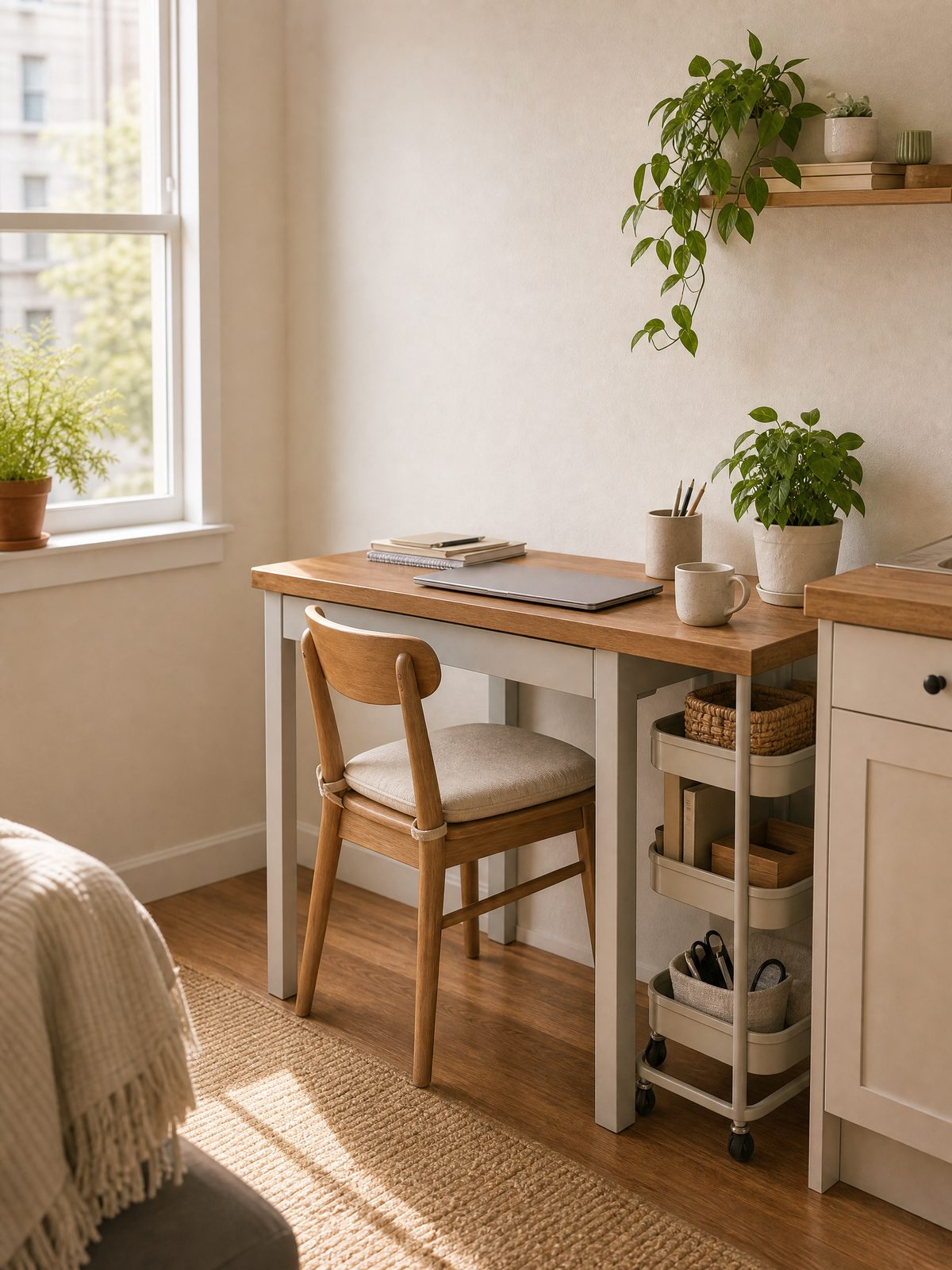
This guide focuses on small dining room table for U.S. renters and small-home movers, with a practical system for choosing what to buy, what to prepare, and what to verify before moving day.
Small dining tables that double as desks can feel like a daily negotiation: you need a clear surface for eating and a functional workspace for focused time. The trick is not permanent multiuse clutter but a time-based conversion system that makes the table one thing at a time.
This article shows a compact plan and practical steps to switch the table between meal mode and work mode in under two minutes, using portable storage, quick rituals, and decision signals you can maintain in a rental or small apartment.
Start with the real constraint
The real constraint is time and surface: you need a cleared 3–4 square feet for plates or a laptop depending on the moment. Treat the table as a time-limited resource rather than a permanent storage shelf — that mental switch keeps clutter off the tabletop.
Also verify any safety or modification limits before attaching hardware to walls or furniture: follow your lease, product labels, and manufacturer instructions. The U.S. Consumer Product Safety Commission advises following manufacturer instructions, securing TVs and top-heavy furniture where appropriate, and keeping climb-attracting items away from the top of furniture; follow those sources when applying anchors or straps.
At-a-glance plan
| When | Quick action (under 2 minutes) | Where to put items |
|---|---|---|
| Start of work block | Swap placemats for a work mat and roll in a laptop caddy | Roll-away caddy parked beside table or under chair |
| Mid-day break / before meals | Return papers to a portable tray and remove chargers | Portable tray on a bookshelf or a dedicated hook shelf |
| Mealtime | Clear work items into a lidded box and place center napkin | Lidded box stored on a chair back or under table |
| End of day | Do a 90-second reset: wipe surface and store electronics | Electronics go to a charging station away from the table |
Build the system step by step
- Designate one portable work kit: a medium lidded box or fabric caddy that holds your laptop, charger, notebook, and a pen cup. Keep this kit lightweight so it can be moved quickly.
- Create two surface templates: one simple placemat and one thin work mat. The placemat visually signals meal mode; the work mat signals work mode and keeps the laptop from sliding.
- Establish two fixed parking spots near the table: a charging station a few feet away and a small open shelf or basket for the work kit. Make these spots part of the room so moving items has a clear destination.
- Adopt a 90-second reset ritual for transitions: move items into the kit, plug or unplug chargers into the charging station, and wipe the table with a damp microfiber cloth.
- Use visible time signals: set a calendar block or a 30-minute timer before expected meals to start the transition so you aren’t rushed.
These steps combine a physical kit, clear visual templates, and short rituals so the table becomes whichever function you need without permanent piles. If you need to secure bulky items or anchor furniture, follow manufacturer instructions and any applicable lease rules before drilling or installing hardware.
Trade-offs to consider
No system is perfect; plan for what you will accept and what you will not.
- Speed vs. storage capacity: a lighter portable kit moves quickly but holds fewer extras; a larger box holds more but takes longer to stow.
- Visible neatness vs. immediate accessibility: keeping items in a closed box hides clutter but adds a step to access them during a work session.
- Permanent fixtures vs. temporary solutions: wall hooks or mounted shelves save tabletop time but may be restricted by a lease or require professional installation.
Keep it workable
Set one short weekly appointment to purge the work kit of papers, receipts, and trash. Keep consumables like napkins and hand wipes in a small drawer or a labeled pouch so they’re available without crowding the table. If the system feels like extra work after a week, simplify: reduce the kit contents to only daily essentials and move lesser-used items to a closet or under-bed bin. Always follow product labels and manufacturer guidance when cleaning or using electronic chargers.
Measure a Small Dining Room Table in Both Modes
A small dining room table that also serves as a desk must fit people, chairs, work equipment, and the path around them. Measure the room with chairs pulled out, not just pushed under the top. Mark the open footprint with painter’s tape and test how doors, drawers, and walkways operate before choosing a table.
For work mode, consider monitor distance, keyboard depth, lighting, outlets, and where papers go when dinner begins. A portable work bin or slim rolling cart can hold the daily setup without turning the table into permanent office storage. Choose a surface that tolerates repeated cleaning and use placemats or a desk mat where appropriate.
Build a reliable changeover routine
Set a short closing sequence: save files, disconnect equipment safely, move work materials to one assigned container, wipe the surface, and return dining items. OSHA’s computer workstation guidance can help identify adjustable setup factors, but a dining table is not automatically an ergonomic desk. If work occupies most of the day, prioritize a chair and setup that can be adjusted to the user.
Use the storage container guide for the portable work kit and the small-apartment move-in plan when measuring a new rental. Avoid wall-mounted storage unless the lease and installation method allow it.
FAQ
How do I stop the table from becoming a permanent drop zone?
Build a single habit: every time you stand up from the table, take one item with you to its designated spot. This small rule prevents a pile from forming and is a practical option you can test for two weeks to see if it sticks.
Can I use wall-mounted organizers if I rent?
You can, but first check your lease and consider nonpenetrating options like tension shelves or adhesive hooks that follow manufacturer instructions; if you plan to anchor anything, follow the manufacturer instructions and local rules before installation.
What if I need to work while people eat?
Use headset audio and set clear expectations: signal that you can accept short interruptions but will be unavailable during mealtime, or schedule work blocks outside typical meal times as a personal planning approach.
Try the system for one week, focusing on the 90-second reset each transition. Adjust the kit contents and parking spots after the trial to match how you actually use the space.
Is a folding small dining room table a better desk?
It can be when the folding mechanism is stable, the working surface is large enough, and the table can be opened without blocking circulation. Check the product dimensions in both positions before buying.
Sources and fact-checking
This guide provides practical editorial guidance. Requirements and safe choices can depend on the product, lease, local rules, and individual situation.
- U.S. Consumer Product Safety Commission — Anchor It! — CPSC advises following manufacturer instructions, securing TVs and top-heavy furniture where appropriate, and keeping climb-attracting items away from the top of furniture.
- OSHA — Computer Workstations eTool — OSHA provides guidance on workstation components, positioning, and adjustable setup factors.
Fact-checked against the linked official resources on November 1, 2026.