
Cord Organizer Setup for a Small Living Room: A Safer Plan
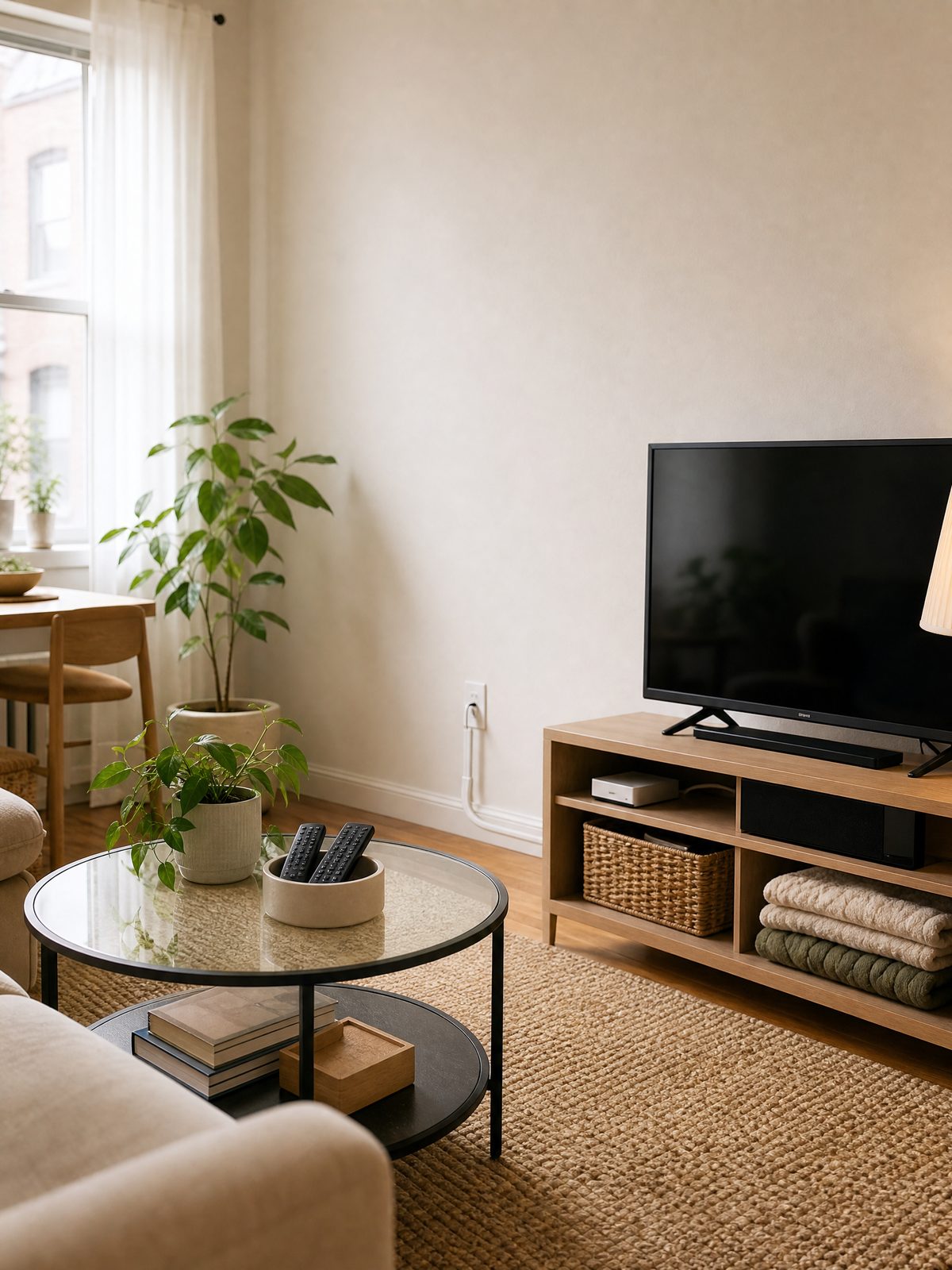
A cord organizer should solve a specific routing problem, not simply hide a pile of wires. In a small living room, start by identifying which cables move, which stay connected, and which cross a walkway. Then choose clips, reusable ties, sleeves, boxes, or covers that fit the actual route and device instructions.
This guide focuses on a renter-friendly setup for TV cords, chargers, lamps, game systems, speakers, and the small everyday items that collect around them. Safety comes before appearance: an organizer must not conceal damaged cords, overload an outlet, block ventilation, or place cables where furniture can crush them.
Quick answer: map the cable before buying the organizer
Unplug and move equipment only when its manufacturer permits it. Label both ends of each cable, remove obsolete cords, and sketch the route from the device to the outlet or power strip. A reusable tie may be enough behind a console, while a wall raceway or floor cord cover addresses a different problem.
Do not run extension cords under rugs or furniture. The U.S. Fire Administration advises against placing cords where they can be pinched or damaged, warns against overloading outlets and power strips, and recommends replacing worn or damaged cords.
| Problem | Possible cord organizer | Measure first | Safety check |
|---|---|---|---|
| Charging cable falls behind a table | Weighted holder or removable edge clip | Table thickness and cable diameter | Clip must not pinch or sharply bend the cable |
| Several cables travel behind a TV console | Reusable ties or a ventilated sleeve | Bundle diameter and access points | Keep damaged cords out of the bundle |
| Power strip and adapters create visual clutter | Ventilated cable-management box | Strip length, plug height, cord exits, and airflow | Do not cover ventilation or overload the strip |
| Low-voltage cable runs down a wall | Surface raceway compatible with the cable and wall | Full route, corners, and removable-adhesive needs | Follow the organizer and equipment instructions |
| A cord approaches a walking path | Reroute furniture or use an appropriate floor-rated cover | Traffic path and exact cord length | Never hide a cord under a rug |
Step 1: inventory every connected device
List the TV, streaming device, soundbar, console, lamp, router, chargers, and any occasional equipment. Match each plug to its device. Remove abandoned cables only after confirming they are not serving another room or hidden component.
Use a removable label near each end rather than wrapping a large tag around the middle. Write the device and destination, such as “soundbar to TV.” Clear labels reduce tugging and guessing when you need to disconnect one component.
If the room also lacks general storage, plan the furniture zones separately with our guide to organizing a small living room with no built-in storage. A cord organizer cannot compensate for an entertainment unit that is too small for the equipment.
Step 2: inspect cords before hiding them
Check plugs, insulation, and connection points for visible damage. The U.S. Consumer Product Safety Commission’s home electrical safety checklist advises replacing damaged cords and moving cords away from foot traffic and heavy furniture. An organizer should make inspection easier, not seal a questionable cable out of sight.
Do not use nails, staples, or fasteners that can damage the insulation. Do not tightly wrap a cord around a furniture leg or another object. Leave enough slack for plugs to sit naturally without tension, but avoid loose loops on the floor.
Step 3: choose by route, not by appearance
| Organizer type | Best use | Renter question | Trade-off |
|---|---|---|---|
| Reusable hook-and-loop tie | Grouping compatible cords behind furniture | Can the bundle remain accessible? | Does not secure the route to a surface |
| Removable cable clip | Keeping one or two light cables at a table edge | Is the adhesive approved for the surface? | Adhesive may fail or mark some finishes |
| Cable sleeve | Creating one visual line from several cords | Can it be opened for inspection? | May trap clutter if obsolete cables remain |
| Ventilated cable box | Containing a compatible power strip and adapters | Is there room without crowding or blocking vents? | Large adapters may not fit safely |
| Surface raceway | Guiding a compatible cable along a wall | Does installation comply with the lease? | Requires careful measurement and surface prep |
| Floor cord cover | Protecting a route that cannot be moved from a low-traffic crossing | Is it rated and shaped for the location? | Rerouting is usually preferable when possible |
Measure twice before ordering. Include connector size, not just cable thickness. A cable may fit the channel while its plug cannot pass through. Check whether the organizer can be reopened without replacing adhesive or moving heavy furniture.
Step 4: protect outlets and power strips
Use electrical equipment according to its listing and manufacturer instructions. Do not connect more devices merely because a cable box makes the plugs less visible. The U.S. Fire Administration advises using power strips with internal overload protection and not overloading them.
Extension cords are temporary devices, not a substitute for permanent wiring. CPSC guidance warns that improper use, damage, and overloading can cause fire. If the living room layout depends on a permanent extension-cord route, consult the property owner or a qualified professional about an appropriate outlet solution rather than disguising the cord.
Step 5: make the organizer easy to reset
Leave frequently used charging cables reachable with a clip or holder. Route fixed entertainment cables behind the console with labels and reusable ties. Keep one spare charging cable in a drawer rather than adding it to the active bundle.
Add a small tray for remotes and a dedicated basket or shelf for one or two blankets. These items are not electrical, but giving them return points prevents them from covering vents, power strips, and cable exits. The related small-home safety reset covers cords alongside other household storage risks.
A five-minute living room cord reset
- Return remotes and charging cables to their assigned holders.
- Remove cables that no longer connect to an active device.
- Check that no cord crosses a walking path or sits under a rug.
- Look for pinching behind furniture and excessive tension at plugs.
- Confirm that power-strip and equipment vents remain uncovered.
Run this check after moving furniture, adding a device, or changing a charger. Cord routes can become unsafe when a new item is added to an old system without reviewing capacity and placement.
Common buying mistakes
Choosing the smallest cable box: a box that forces plugs together or blocks ventilation is not a useful space saver.
Buying clips before measuring cable diameter: the wrong clip can crush a cable or fail to hold it.
Using permanent adhesive in a rental: check the lease, wall finish, and removal instructions. Even removable products can affect paint or veneer.
Hiding extension cords under furniture: visual clutter is not a reason to place a cord where weight, heat, or traffic may damage it.
FAQ
Which cord organizer is best behind a TV console?
Start with removable labels and reusable ties for compatible cords. A ventilated cable box may contain a compatible power strip, but it must fit the adapters without crowding and keep required ventilation open.
Can I run a cord under a living room rug?
No. U.S. fire-safety guidance advises avoiding cords under rugs and in locations where they can be pinched or damaged. Reroute the device, move furniture, or use an appropriate solution for the actual path.
Are adhesive cord clips renter-friendly?
They may be, but results depend on the adhesive, wall or furniture finish, installation, and lease. Test only when the manufacturer permits it, follow removal directions, and do not use a clip that pinches the cable.
How many cords should I bundle together?
There is no universal number. Follow the equipment and organizer instructions, keep ventilation open, avoid sharp bends, and make sure each cord remains identifiable and inspectable.
Sources and fact-checking
Electrical products and installations vary. Follow device, power-strip, cord, and organizer instructions, lease terms, and applicable local requirements. Replace damaged equipment rather than concealing it.
- U.S. Fire Administration — Appliance and Electrical Fire Safety
- U.S. CPSC — Home Electrical Safety Checklist
- U.S. CPSC — Household Extension Cords Can Cause Fires
Fact-checked against the linked official resources on November 3, 2026.