A Small Apartment Move-In Inspection Organization Plan
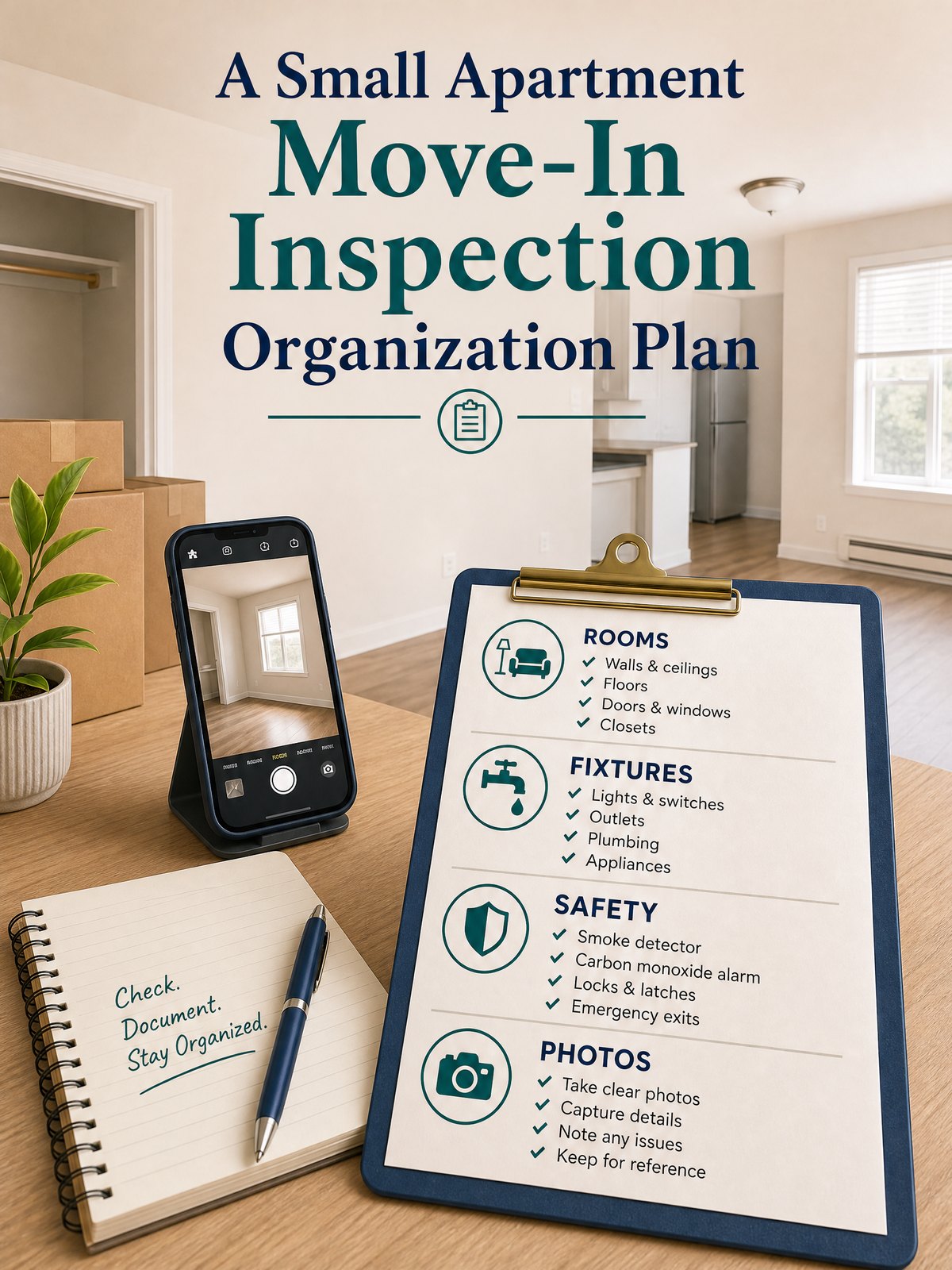
Moving into a small apartment means you often juggle tight time, limited storage, and a long list of visible and hidden issues to document. Without a single, traceable place for notes, photos, repair requests, and landlord messages, disputes and missed repairs become likely.
This article gives a compact system you can set up on move-in day: where to store photos and notes, how to timestamp and trace repair requests, and a simple table and step-by-step checklist that fits a renter’s limited time and space.
Start with the real constraint
Most renters face two practical limits at move-in: time and trunk space. You rarely have more than an hour to photograph every corner, and you usually don’t want to carry bulky binders while settling into a small apartment. That means the system must be low-friction, portable, and built to capture enough context so photos and messages are useful later.
Another real constraint is traceability: who saw what and when. A photo alone can help, but paired with a dated message or a clear note about where and when the image was taken it becomes evidence you can reference. As a practical note, follow your lease for rules about inspection procedures and give any written requests or notices according to the timelines and methods specified there.
Ready.gov advises organizing critical household, insurance, financial, and medical records before an emergency and safeguarding them in a secure accessible location; that same habit—one secure, accessible place for important move-in records—reduces stress and confusion after you sign the lease.
At-a-glance plan
| When | Action | What to capture | Where to store it |
|---|---|---|---|
| Before arrival (30–48 hrs) | Prepare a digital folder and template note | Lease start date, contacts, file folders named by room | Cloud folder and a matching local copy on phone |
| Move-in day (first hour) | Photograph each room and appliance | Wide and close shots, timestamped, note location and condition | Upload photos to cloud folder and add a one-line note per image |
| Within 3–7 days | Compile repair list and send requests | Item, photo link, suggested access times, preferred contact method | PDF report saved to folder; send by lease-approved channel |
| Ongoing | Log communications and receipts | Dates, who responded, agreement or next steps, paid receipts | Communication log file and dated subfolders for receipts |
Build the system step by step
- Create a single digital folder before move-in. Make matching subfolders for Photos, RepairRequests, LeaseDocs, and Communications. Give each file a name that starts with YYYYMMDD so items sort chronologically.
- Set up a one-page note template on your phone or computer. Include fields for date/time, room, what you photographed, condition description, and who was present. Use a plain-text note or a simple document so you can copy it into messages.
- Photograph thoroughly on arrival. For each room take a wide shot, then close-ups of any stains, scuffs, appliances, windows, and the meter/readings. Save each photo to the Photos folder and paste the photo filename or link into the matching template note.
- Within three days, assemble a concise repair request list. Attach photos, list preferred dates/times for access, and keep a copy of the message in Communications. Send requests using the method your lease specifies; if the lease allows multiple methods, use e-mail or the landlord portal so there’s an electronic trail.
- Track responses and receipts. When a repair is scheduled or completed, add the date, the worker’s name, and any receipts to the Communications or Receipts subfolder. If you accept a verbal agreement, follow up with a short confirming message to create a written record.
These steps emphasize speed and traceability over perfection: the goal is a single place where anything relevant to the apartment’s condition and your requests is easy to find. If you prefer a paper alternative, use a small, labeled accordion folder and duplicate photos in print, but note that a digital copy is typically easier to timestamp and share.
Trade-offs to consider
No system is perfect for every renter. Choose what you can maintain.
- Speed vs. detail: Faster photo-and-note capture means less narrative detail; if you expect disputes, spend more time on captions and angles as a personal planning option.
- Cloud storage vs. local-only: Cloud copies are shareable and backed up, but storing sensitive documents online may raise privacy questions you should verify locally.
- Automated apps vs. simple folders: Apps can auto-tag and timestamp, but a plain folder system is more resilient if you need to switch devices quickly.
Keep it workable
Limit maintenance to two short habits: add new communications and receipts within 48 hours, and run a quick folder check every month while you live there. If you move infrequently, export a single zipped copy of the folder before you leave so the record is preserved without extra ongoing effort.
FAQ
How many photos should I take of each room?
A practical minimum is three: one wide shot showing the whole room, one close-up of fixtures or damage, and one shot that captures any identifying details (meter, model plate, window tags). Add more photos for obvious damage. This is a suggested approach; check your lease for any specific move-in inspection process it requires.
What if the landlord prefers phone calls or in-person notes?
If your landlord prefers calls, follow up each call with a short written summary by email or text that records date, time, topics covered, and any agreed next steps; this creates a traceable record. Always follow the communication methods and timelines that your lease specifies.
Can I use a paid app to manage everything?
Paid property-management apps can centralize photos, messages, and receipts; they are a valid option for people who want automation. If you use an app, verify data export options and keep a local copy or alternate backup so you control the records if you change services.
Pick the tools you will actually use and keep them simple enough to maintain during move chaos. A workable system beats an elaborate one that you abandon.
Sources and fact-checking
This guide provides practical editorial guidance. Requirements and safe choices can depend on the product, lease, local rules, and individual situation.
- Ready.gov — Financial Preparedness — Ready.gov advises organizing critical household, insurance, financial, and medical records before an emergency and safeguarding them in a secure accessible location.
Fact-checked against the linked official resources on August 27, 2026.